GPS Tracking and Location Privacy on Your Smartphone
So I turned off location services on my phone for a week to see what would happen. The answer: a lot more than I expected. Here's a casual deep dive into how your phone tracks you and what you can realistically do about it.
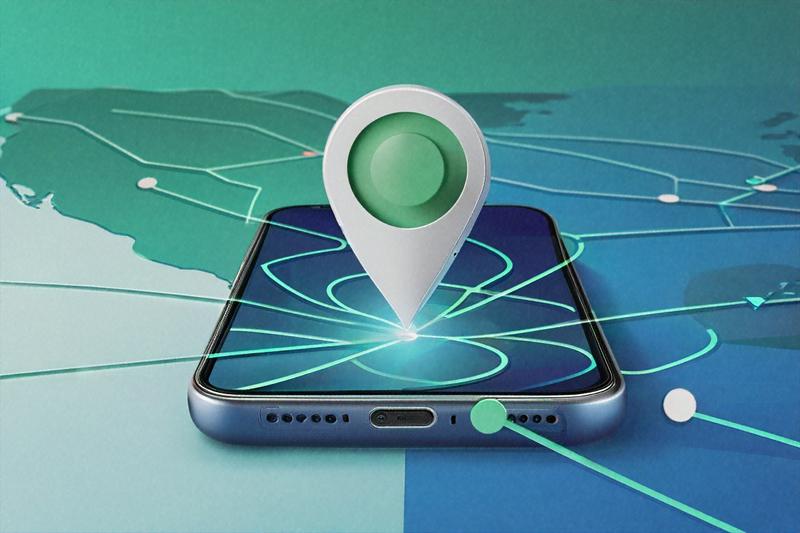
I turned off every location-related setting on my phone for a week last month. Just wanted to see what would break. Spoiler: a lot. Google Maps obviously stopped working, which I expected. But Zomato wouldn't show me restaurants. Ola couldn't set a pickup point. My weather app showed nothing. UPI payments on a couple of apps complained about "location verification failed." Instagram stopped suggesting local content. And — this was the weird one — my phone's battery lasted noticeably longer. Turns out, constantly tracking where you are takes real energy.
That little experiment got me thinking about how deeply location data has woven itself into the Indian smartphone experience. We don't really think about it. You open an app, it asks for location, you hit "allow" because you want to order dinner or book a ride, and that's the last time you think about it. But your phone doesn't stop tracking you after that single transaction. Many apps keep checking your location in the background, building a rolling record of where you've been, sometimes updating every few minutes, 24 hours a day.
How Phone Location Tracking Works
Let me walk through how this actually works, because once you understand the mechanics, the privacy implications become much harder to ignore.
Your smartphone has at least four distinct ways of figuring out where you are. The one everyone knows about is GPS — the satellite-based system that gives you that blue dot on the map. GPS is accurate to within about 3 to 5 meters outdoors, and it works by listening to signals from a constellation of satellites orbiting Earth. India also has its own regional satellite navigation system, NavIC (previously called IRNSS), which provides enhanced accuracy over the Indian subcontinent. If your phone supports NavIC — and many recent Indian-market phones do — your location can be pinpointed even more precisely than standard GPS alone. The government's GAGAN system adds another layer of satellite-based augmentation. All this means location accuracy in India is getting better, not worse, and that cuts both ways.
But GPS isn't the only trick your phone uses. Wi-Fi positioning works even when you're not connected to any Wi-Fi network. Your phone constantly scans for nearby Wi-Fi access points, and because companies like Google and Apple have mapped the locations of millions of Wi-Fi routers worldwide (including across India), just seeing which networks are nearby tells your phone where it is with surprising accuracy. This works indoors, where GPS signals are weak, which is why apps can figure out which floor of a mall you're on. The creepy part: your phone is scanning for Wi-Fi networks even when Wi-Fi is "off" in most Android configurations, because there's a separate setting for "Wi-Fi scanning" that stays enabled by default.
Cell tower data is the third method. Your phone is always connected to at least one cell tower (that's how phone calls work), and by measuring signal strength from multiple towers, your approximate location can be triangulated. This is less precise than GPS — accuracy might be anywhere from 100 meters to a kilometer — but it works everywhere there's cell coverage, doesn't need satellites, and your carrier logs this data by default as part of normal network operations. Your telecom provider has a record of which towers your phone has connected to, going back months or years. That's a rough map of everywhere you've been.
Bluetooth beacons are the fourth and least well-known method. Shopping malls, airports, and large retail stores in Indian metro cities increasingly use Bluetooth Low Energy (BLE) beacons for indoor positioning. These tiny devices broadcast a signal that your phone picks up, and apps with the right SDK can use that signal to know your position inside a building within a couple of meters. The Bangalore airport has BLE beacons. Several high-end malls in Mumbai and Delhi have them. You probably walked past a dozen last time you went shopping without noticing a single one.
How Apps Use Your Location Data
All four of these systems can operate simultaneously, and your phone's operating system combines their data for the most accurate fix possible. That combined location data then flows to every app you've granted location permission to. And here's the thing about app permissions on Android particularly — when you grant an app "Allow all the time" location access, that's exactly what it gets. All. The. Time. Background location updates, even when the app is closed. The app can check your location every few minutes and log it to a server somewhere. You gave it permission to do exactly that, probably without thinking much about it.
In India specifically, the number of apps that request location data is staggering. Obviously ride-hailing (Ola, Uber, Rapido) and food delivery (Zomato, Swiggy, Dunzo) need your location while you're using them. That's fair. But payment apps? Phone Pe and Google Pay request location data, partly for fraud prevention (checking if a transaction is happening from an unusual location) and partly for... well, partly for reasons that aren't clearly explained. Shopping apps like Myntra, Flipkart, and Amazon India ask for location to show relevant deals and delivery estimates. Social media apps want it for geotagged posts and local content. Even utility apps like weather and news want location access. By the time you've set up a typical Indian smartphone, you've given location access to 15 to 20 apps, many of which don't genuinely need it for their core function.
Privacy Risks and Security Concerns
What happens with all this location data once apps have it? A few things, some benign and some not. The benign use is service delivery — showing you nearby restaurants, routing your cab, estimating delivery time. The less benign use is behavioral profiling. Your movement patterns reveal where you live (the place your phone sits overnight), where you work (the place it sits during business hours), what kind of restaurants and shops you visit, whether you go to a gym, which hospital you visit, where your friends live, whether you travel frequently. Advertising networks piece this together to build a profile of your habits, preferences, and income level, which they then sell to advertisers who target you accordingly. That eerily specific ad you saw for a restaurant near your office? It wasn't a coincidence. It was your location data at work.
The risks go beyond advertising. If a database containing location history gets breached — and databases get breached routinely in India — the leaked data is a map of real people's real movements. Stalking becomes trivial when you know where someone sleeps and works. Targeted physical crime becomes easier when you know someone's routine — they leave home at 8:30 AM, return at 7 PM, the house is empty all day. Law enforcement can request location records from telecom operators and app companies, sometimes with a court order and sometimes through less formal channels, and the oversight on these requests is inconsistent.
Practical Steps to Reduce Tracking
Alright, so what do you actually do about this? I've spent the last few weeks experimenting with different configurations, and here's what I've found works without completely crippling your phone's usefulness.
On Android, the single most impactful change is going to Settings > Location > App permissions and switching every app from "Allow all the time" to "Allow only while using the app." For apps that don't need your location at all — games, calculators, note-taking apps, whatever ended up with permission through absent-minded tapping — set them to "Deny." While you're in Location settings, find the "Wi-Fi scanning" and "Bluetooth scanning" toggles (usually under Location > Improve accuracy or a similar sub-menu) and turn both off. These allow your phone to scan for Wi-Fi networks and Bluetooth beacons even when those radios are switched off, and they're the source of a lot of passive tracking you didn't know was happening.
For Google specifically, go to myaccount.google.com on a browser (or in the Google app, Settings > Google Account > Data & privacy). Find "Location History" and "Web & App Activity" and pause both. Then delete your existing location history — Google Maps has a Timeline feature that shows everywhere you've been for months or years, and that data is stored on Google's servers. Deleting it removes the historical record. Pausing prevents new data from being stored. You might also want to turn off "Ad personalization" while you're in there, though that affects more than just location.
On iPhone, go to Settings > Privacy & Security > Location Services. For each app, your options are "Never," "Ask Next Time or When I Share," "While Using the App," and sometimes "Always." Set everything to "While Using" at most, and "Never" for anything that doesn't genuinely need location. Below the app list, there's a "System Services" section — tap it and disable "Significant Locations," which is Apple's version of movement history logging. Also toggle off "iPhone Analytics" location sharing, and "Routing & Traffic" if you're not using Apple Maps for navigation.
A subtle but powerful iPhone feature: the "Precise Location" toggle that appears for each app's location setting. When you turn off Precise Location, the app gets an approximate location (within a few kilometers) instead of your exact coordinates. For many apps — social media, weather, shopping — approximate location is perfectly adequate, and it prevents them from knowing your exact address or which shop you're standing in.
For both platforms, get in the habit of turning off location services entirely when you don't need them. At home in the evening, sleeping, watching a show — you don't need GPS running. On most phones, there's a quick toggle in the notification shade or control center. Flip it off, flip it back on when you open Maps the next morning. It's one tap, and it stops all location tracking cold during the hours you're not actively using location-dependent apps.
Location History and Advertising
One thing I experimented with that I'd recommend: regularly clearing your location history. Google Maps has a feature called Timeline (or Location History) that records everywhere you've been, often going back years. Open Google Maps, tap your profile picture, tap "Your Timeline," and you can see every place you've visited, every route you took, timestamped and mapped. It's thorough and slightly terrifying. You can delete individual entries, delete by date range, or set automatic deletion after 3, 18, or 36 months. Set it to 3 months if you want minimal historical data retained, or just delete everything and then pause Location History entirely. Apple Maps on iPhone doesn't maintain the same kind of visible timeline, but Apple does collect "Significant Locations" data that you can view and clear under Settings > Privacy & Security > Location Services > System Services > Significant Locations.
The advertising dimension of location data is worth understanding in the Indian context specifically, because India's digital advertising market is growing rapidly and location-based targeting is a big part of it. When an advertiser runs a campaign for, say, a new restaurant in Koramangala, they can target ads specifically to people whose phones have recently been detected in or near that neighborhood. This kind of geofencing is standard practice in digital advertising, and it works because apps you've installed — social media, news readers, games — are reporting your location to ad networks in the background. The data doesn't have your name attached to it (it's tied to a device advertising ID), but the profile built around that ID — where you go, what you buy, what you search for — is detailed enough that anonymity is more theoretical than practical.
India's data broker ecosystem operates in a gray zone when it comes to location data. Companies that aggregate and sell consumer data — including location-derived behavioral profiles — operate largely outside any specific regulatory framework as of early 2026. The DPDP Act's consent requirements should, in principle, apply to the collection and sale of location data, but the chain of consent from "user grants location permission to a weather app" to "weather app's SDK partner sells location data to an analytics firm" to "analytics firm sells audience segments to an advertiser" is so long and opaque that meaningful informed consent is practically fiction. You consented to the weather app knowing your location. Did you consent to a data broker in Gurugram building a profile of your daily movements and selling it to a real estate developer? Almost certainly not. But that's what's happening.
Physical Security and VPN Considerations
There's also a physical security dimension to location tracking that people in India should think about seriously. If someone gains access to your Google Timeline or your phone's location history — through physical access to your unlocked phone, through compromised Google account credentials, or through a malicious app — they have a complete map of your life. Your home. Your office. Your parents' house. The gym you go to. The friend's apartment you visit. For women in particular, this kind of data in the wrong hands is a stalking toolkit. It's one reason I'm emphatic about MFA on your Google account and device lock screens. Your location history is probably the most sensitive data on your phone, more sensitive than your messages or photos, because it's continuous and thorough in a way that other data types aren't.
A VPN helps with IP-based location tracking — when you browse the web, your IP address reveals your approximate location to every website you visit. A VPN masks this by routing your traffic through a server elsewhere. It doesn't affect GPS or Wi-Fi positioning, so apps on your phone can still locate you through those methods, but it prevents websites and web-based services from pinning your location via IP. In India, several VPN providers have removed their Indian servers following CERT-In's 2022 directive requiring VPNs to store user logs, so if you're using a VPN partly for privacy, check whether your provider actually operates servers outside India's logging jurisdiction.I'll be honest about the limits of all this. You can reduce location tracking significantly, but completely eliminating it while carrying a smartphone is probably impossible. Your telecom carrier will always know which towers you're connected to. Apps you use regularly will always have some location data. The operating system itself (Android/iOS) maintains some location awareness for basic functions. The best you can do is minimize the collection, limit who has access to it, and delete historical data regularly.
Whether the DPDP Act will meaningfully change how apps handle location data in India is an open question. The Act's consent requirements should, in theory, prevent apps from collecting location data beyond what's necessary for the service. But the enforcement mechanism is still being built, and until the Data Protection Board starts actively adjudicating complaints about excessive data collection, the incentives for apps to over-collect remain strong. I'd love to tell you this problem is going to get fixed at a regulatory level soon. I'm not sure it will. For now, the settings on your phone are the most reliable privacy tool you've got, and the five minutes it takes to configure them is probably the best privacy investment you'll make this year. Probably.
Written by
Amit PatelTech Security Writer
Amit Patel is a technology journalist and security researcher who covers mobile security, app privacy, and emerging threats targeting Indian users. He previously worked with leading Indian tech publications before joining PrivacyTechIndia.
Related Posts
How to Audit App Permissions on Your Phone
People say they care about phone privacy, then hand every app blanket access to their camera, microphone, contacts, and location. Here's how to actually check what your apps can see and shut down the ones that are overreaching.

IoT Devices in Indian Homes: Privacy Risks You Are Ignoring
Your smart speaker is always listening. Your Wi-Fi camera is phoning home to servers you've never heard of. Indian households are filling up with connected gadgets and barely anyone's asking what data leaves the house.
Complete Guide to iPhone Privacy Settings for Indian Users
You probably spent 70,000 rupees or more on that iPhone. Yet most Indian users haven't touched half the privacy settings buried inside iOS. Here's a no-nonsense walkthrough of every toggle that matters, from App Tracking Transparency to Lockdown Mode.