Best Practices for Secure Online Shopping in India
So you found a deal on Flipkart that seems too good. Or someone on Instagram is selling branded shoes at 80% off. Before you punch in your UPI PIN, let's talk about how to shop online without getting scammed -- because the tricks are getting really clever.
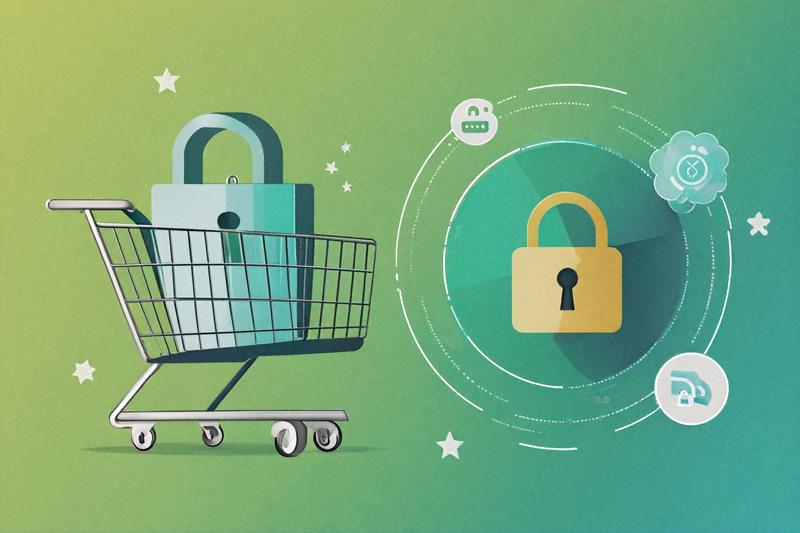
-- and then she showed me the screenshot. She'd paid Rs 2,400 for a "branded" handbag on some Instagram store that had 15,000 followers, decent-looking product photos, and a bunch of positive comments. The tracking link they sent her? Went to a dead page. The WhatsApp number? Blocked. Her bank told her there wasn't much they could do since she'd authorized the UPI payment herself.
This kind of thing happens constantly. My aunt lost money the same way during Diwali sales last October. My neighbor got phished through a fake Flipkart SMS. The delivery guy tried a fake OTP scam on my roommate just last week. At some point you realize it isn't a question of if you'll encounter an online shopping scam in India, it's when.
So let's go through this properly. Not the boring textbook version -- the stuff that actually matters when you're sitting with your phone at midnight, cart loaded, finger hovering over "Place Order."
The URL Check That Takes Three Seconds but Nobody Does
I'll start with the most basic thing because it's the one people skip most often. Before you enter any payment details on a website, look at the URL. Not glance at it. Actually read it.
Scam sites look almost identical to real ones. I've seen flipkart-bigsale.com, amazn-offers.in, myntra-deals.shop. They copy the logos, the layout, the product images. Some of them even have working search bars and fake product reviews. But the URL gives it away every time. The real Flipkart is flipkart.com. The real Amazon India is amazon.in. The real Myntra is myntra.com. Anything with extra words, hyphens, or unfamiliar domain extensions (.shop, .xyz, .online) should make you pause.
Check for HTTPS too -- the padlock icon in your browser's address bar. Does HTTPS guarantee the site is legitimate? No, scammers can get SSL certificates easily. But the absence of HTTPS on a shopping site is a guaranteed red flag. No padlock, no purchase. Period.
One trick that's been floating around since the 2025 Republic Day sales: scammers buy Google Ads for keywords like "Flipkart Big Billion Sale" or "Amazon Great Indian Festival" and their phishing sites appear at the top of search results, above the real sites. So don't trust the first link you see on Google. Scroll down to the organic result, or better yet, type the URL directly into your browser.
The UPI Trap That Catches Smart People
This one gets me worked up because it's so cleverly designed. Here's how it goes: you buy something on a marketplace or through social media, and the seller says there's a problem with your order -- maybe they need to issue a refund, or there's an extra charge they need to reverse. They send you a UPI collect request disguised as a "refund." You see the notification, think "oh good, they're sending money back," and enter your PIN.
But you just paid them again. Because a UPI collect request is a request for you to send money, not receive it. You never need to enter your PIN to receive money via UPI. Let me say that again because it's worth tattooing on your forearm: you never need to enter your UPI PIN to receive money. If someone is asking you to enter your PIN "to receive a refund," they're stealing from you.
A newer variant of this scam involves QR codes. The seller sends you a QR code and says "scan this to receive your refund." You scan it, it opens your UPI app with a payment screen (not a receive screen), and if you're in a hurry, you authorize it without reading carefully. Gone. I've heard of people losing Rs 10,000-15,000 this way, and the transactions are basically irreversible because you authorized them with your own PIN.
PhonePe and Google Pay have both added warnings that pop up when you scan a QR code that leads to a payment request. Read those warnings. Don't dismiss them like cookie consent banners.
Virtual Cards and Why You Should Probably Be Using One
Here's something that took me way too long to start doing. Most major Indian banks -- HDFC, ICICI, SBI, Axis, Kotak -- offer virtual debit or credit cards through their mobile apps. A virtual card is basically a temporary card number linked to your real account but with a spending limit you set. You generate one, use it for a specific purchase, and it either expires after one use or after a time period you choose.
Why does this matter? Because if a shopping site gets breached (and they do -- remember the Domino's India data leak that exposed 18 crore orders?), the attackers get your virtual card number, which is already expired or limited to a tiny amount. Your actual card stays safe. It's like giving someone a photocopy of your house key that only works once and then dissolves.
Setting one up takes about two minutes in your banking app. HDFC's is under "Cards" > "Virtual Card" in the app. ICICI has it in their iMobile app. SBI's YONO app has a similar feature. If your bank doesn't offer virtual cards, consider using a prepaid card service -- load only the amount you need for a specific purchase, and there's nothing extra to steal.
I use virtual cards for every online purchase now. It's a small habit that's removed about 90% of my anxiety around entering card details online.
The Saved Cards Problem
Quick question: how many websites and apps currently have your credit or debit card saved? If you're like most people, you probably don't know. Could be five, could be twenty. Each of those is a stored copy of your card details sitting on someone else's server.
RBI actually tried to address this. Their tokenization mandate, which went into effect in 2022, requires merchants to replace stored card numbers with encrypted tokens. In theory, even if a merchant's database is breached, attackers get tokens instead of actual card numbers. In practice, compliance has been uneven. Smaller merchants and third-party payment aggregators may not have implemented tokenization properly, or at all.
My suggestion: go through your frequently used apps and remove saved cards from platforms you don't use regularly. Keep cards saved on maybe two or three platforms you trust and use often (your primary grocery delivery app, your main marketplace). For everything else, enter the card details manually or use a virtual card. Yes, it takes an extra thirty seconds. That's an acceptable price for not having your card details floating around on fifteen different servers.
Sale Season: When Scammers Work Overtime
Diwali sales, Republic Day sales, Big Billion Days, Great Indian Festival, end-of-season clearances -- these are peak hunting periods for online scammers. They know people are shopping impulsively, they know people are chasing limited-time deals, and they know people are more likely to click without thinking when there's a countdown timer and a "97% claimed" badge on screen.
During the Flipkart Big Billion Days in October 2025, CERT-In flagged a surge in phishing sites mimicking Flipkart's sale pages. WhatsApp forwards with "exclusive sale links" were circulating widely. Some of these even promised early access or additional discounts if you "registered" through their link. The registration form collected your name, phone number, email, and sometimes card details. Pure social engineering, dressed up in sale-season graphics.
Rule of thumb during sales: if you got a deal link via WhatsApp, SMS, or email, don't click it. Open the actual app or website and search for the product yourself. If the deal is real, it'll be there. If it's not, you just avoided a phishing site. Takes ten seconds longer. Saves you a potential nightmare.
Also watch out for "flash sale" groups on Telegram and WhatsApp. Some are genuine deal-sharing communities, sure. But many are run by affiliates who get commissions for driving traffic, and they don't always verify whether the sellers or products are legitimate. I've seen groups promote products from third-party sellers with zero reviews, and when the products turned out to be counterfeit, the group admin just shrugged and said "buyer beware."
Fake Reviews Are Everywhere and Spotting Them Is Getting Harder
I used to trust product reviews on Amazon and Flipkart pretty reliably. That trust has eroded. Fake review operations have become industrialized. Sellers pay for bulk positive reviews, often through WhatsApp groups where reviewers are recruited for Rs 50-100 per review plus a free product. Some sellers go further and pay for negative reviews on competing products.
How do you spot them? A few signs. Look at the reviewer's profile -- if all their reviews are 5-star and posted within a short timeframe, that's suspicious. Watch for reviews that are generic ("great product, fast delivery, highly recommended") without mentioning anything specific about the item. Check the photo reviews -- if multiple reviewers posted suspiciously similar photos with nearly identical angles, those might be staged shots distributed by the seller. And if a product has hundreds of reviews but was listed only a few weeks ago, be cautious. Organic reviews don't accumulate that fast.
Third-party tools like ReviewMeta and Fakespot can analyze Amazon review patterns, though they work better on Amazon.com than on Amazon.in. For Flipkart, there's no reliable external tool yet, so you'll have to rely on your own judgment. When in doubt, search for the product name plus "review" on YouTube or Reddit (r/IndianGaming, r/india, r/BuyItForLife_India). Real users tend to post more honest opinions there than on the marketplace itself.
The Wi-Fi and Public Network Trap
I know this gets mentioned in every online safety article, and I know most people ignore it. But I'm going to say it anyway because the risk is real and the fix is easy. Shopping on public Wi-Fi -- the kind you get at airport lounges, coffee shops, malls, and railway stations -- is a terrible idea. These networks are often unencrypted, and setting up a "man-in-the-middle" attack on an open Wi-Fi network requires shockingly little technical skill. An attacker sitting in the same Starbucks as you can intercept data flowing between your phone and the router, and if the shopping site has any security gaps, they can capture your login credentials or payment details.
"But HTTPS protects me," you might think. And yes, HTTPS encrypts the connection between your browser and the website. That's a real protection. But it doesn't protect against every attack vector on a compromised network. DNS spoofing can redirect you to a fake version of a site before the HTTPS connection is even established. Malicious captive portals (those "accept terms" pages you see when connecting to public Wi-Fi) can push certificate-trusting prompts that weaken your security. If you absolutely must shop while on public Wi-Fi, use a VPN. Proton VPN has a free tier that works in India. Windscribe and Cloudflare's WARP are other free options. They're not perfect, but they add an encryption layer between your device and the network that makes interception much harder.
Better yet? Just use your mobile data. Your 4G or 5G connection is encrypted by default between your phone and the cell tower. It's not immune to sophisticated nation-state-level attacks, but for the everyday shopping scenario, it's dramatically safer than public Wi-Fi. I've made it a personal rule: I don't enter any payment information unless I'm on my home Wi-Fi or mobile data. Full stop.
COD: Your Safety Net with a Catch
Cash on Delivery has been an Indian e-commerce staple since the Flipkart days. And it's still a legitimate safety tool. If you're buying from a seller you don't know or trust, COD means you can inspect the package before paying. If it's the wrong product, damaged, or obviously fake, you refuse delivery and you haven't lost a rupee.
But COD has its own risks. The biggest one: you open the package, realize the product is wrong, but the delivery person pressures you to accept it because "returns are easy, just raise a request in the app." You pay, and then find out the return window has conveniently expired, or the seller disputes your return request. Now you're out money and stuck with a product you don't want.
There's also the delivery OTP scam. Here's how it works: you get a call from someone claiming to be a delivery agent. They say they have a package for you (you might actually be expecting one) and ask you to share the OTP you just received "to confirm delivery." That OTP is actually a payment authorization or an account verification code. You share it, and money leaves your account, or your account credentials get compromised. Legitimate delivery agents in India don't need OTPs from you to deliver a package. If someone calls asking for an OTP, hang up.
When I order COD, I follow a simple rule: open the package in front of the delivery person. Record a quick unboxing video on your phone -- it takes 30 seconds and gives you evidence if you need to file a dispute. If the product doesn't match what you ordered, refuse it right there. Don't let anyone talk you into accepting it "and sorting it out later." Later never works in your favor.
Return Policy: Read It Before You Buy, Not After
This seems obvious but almost nobody does it. Return policies vary wildly between sellers on the same platform. On Amazon India, one seller might offer a 30-day return window with full refund. The next seller, for a similar product, might have a 7-day replacement-only policy. On Meesho, many products are non-returnable entirely. If you didn't check before buying, you'll discover this the hard way when something goes wrong.
Special categories are worse. Electronics often have a "replacement only" policy with specific conditions. Fashion items might be non-returnable if tags are removed. Health and personal care products are almost universally non-returnable. Jewellery? Forget it.
Spend 15 seconds scrolling down to the "Return & Exchange Policy" section before you add to cart. It's listed on every product page. If the seller doesn't have one, or the policy is vague ("returns at seller's discretion"), treat that as a warning sign. Legitimate sellers are upfront about their return terms because they know it builds trust.
After You Buy: The Hygiene Habits
Your shopping security doesn't end at checkout. Keep your order confirmation emails and payment receipts -- don't delete them. If a dispute arises, these are your evidence. Screenshots of the product listing are even better, because sellers sometimes change listing details after a sale (swapping product images, editing descriptions).
Monitor your bank and card statements for a few weeks after a major purchase. Unauthorized charges sometimes appear days or weeks later, especially if your card details were compromised through a breach you didn't know about. Set up SMS and email alerts for every transaction on your cards and UPI accounts. Every single one. The notification might annoy you, but it means you'll catch a fraudulent charge within minutes instead of discovering it on your monthly statement.
One more thing: if you used a new or unfamiliar platform, go back and delete your account once the transaction is complete and you've received your product. Don't just uninstall the app -- actually go into settings and delete the account along with your stored data. Under the DPDPA, you have the right to request erasure of your personal data. Use it.
Remember my friend with the Instagram handbag? She's more careful now. Uses virtual cards, checks URLs, doesn't click sale links from WhatsApp forwards. She still shops online plenty -- we all do, it's 2026 -- but she does it with her eyes open instead of her fingers crossed. That's really all I'm suggesting. Not paranoia. Just attention. The same kind of attention you'd give if someone on the street offered you a designer bag from a cardboard box at 80% off. You'd walk away from that, right? The internet version deserves the same instinct.
Written by
Amit PatelTech Security Writer
Amit Patel is a technology journalist and security researcher who covers mobile security, app privacy, and emerging threats targeting Indian users. He previously worked with leading Indian tech publications before joining PrivacyTechIndia.
Related Posts
International Women's Day: Online Safety Guide for Women in India
We've been talking about women's online safety in India for years, and the numbers keep getting worse. This Women's Day, here's a warm but honest guide to the threats, the tools, and the complicated reality of being a woman online in this country.

How to Detect Hidden Cameras in Hotels and Changing Rooms
Spy camera busts in Indian hotels and trial rooms keep making headlines, and the response from the hospitality industry is pathetically inadequate. Here's how to check for yourself.
Protecting Your Privacy on Indian Railway Booking Portals
A friend got spam-bombed after one IRCTC booking. Here's what happened, what these portals actually collect, and the casual fixes that keep your data from leaking everywhere.