How to Protect Your DigiLocker Account from Hackers
Your DigiLocker holds driving licences, Aadhaar, marksheets, and insurance papers all in one place. If someone breaks in, they don't just steal files -- they steal your identity. Here's how to lock it down before that happens.
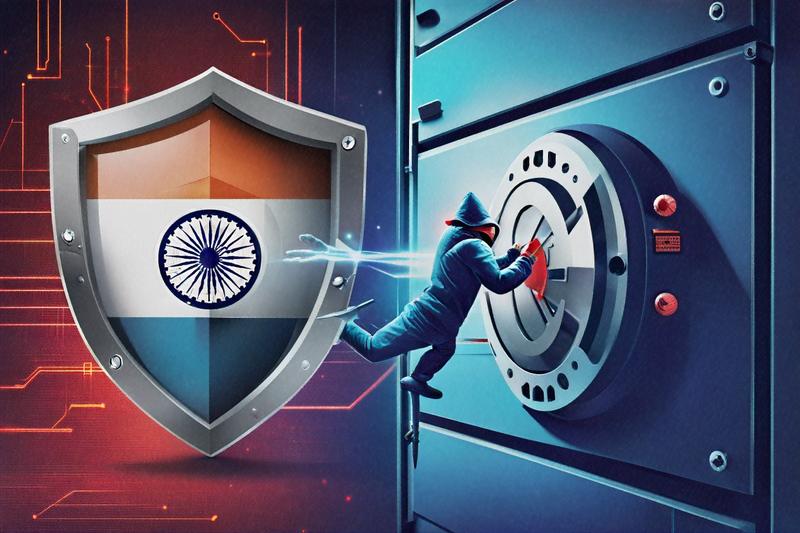
Last Tuesday, a colleague walked into the office looking like he hadn't slept. He hadn't. Someone had gotten into his DigiLocker overnight, downloaded his Aadhaar card and PAN, and used them to apply for a personal loan in his name. By the time he noticed the SMS from the bank, the money had already been transferred to a mule account. He spent the next 72 hours filing FIRs, calling UIDAI, and arguing with bank customer care agents who kept putting him on hold.
That could've been any of us. And honestly? It probably will be, unless we start treating DigiLocker security the way we treat our bank accounts -- with actual seriousness.
What Sits Inside Your DigiLocker (and Why Attackers Want It)
Most people set up DigiLocker, upload a few documents, and forget about it. They don't think about what's actually in there. Let me walk through it, because the list is longer than you'd expect.
Your Aadhaar card and PAN card are the obvious ones. But DigiLocker also stores your driving licence, vehicle registration certificate, Class 10 and 12 marksheets, degree certificates, insurance policies (both health and vehicle), EPFO documents, and in some states, caste and income certificates. The government's been pushing more and more departments to issue documents directly into DigiLocker through the "issued documents" feature, so this list grows every few months.
Now think about what a criminal can do with all that. They've got your full name, date of birth, address, photo, Aadhaar number, PAN number, educational history, and insurance details. That's enough to open bank accounts, apply for credit cards, file fake insurance claims, register SIM cards, or even create a fake passport application. It's not just one document at risk -- it's your entire paper identity, digitized and waiting in one place.
Around 300 million Indians had registered on DigiLocker by late 2025. That's a massive target pool, and attackers know it.
The Aadhaar Connection Makes It Worse
Here's the thing that frustrates me. DigiLocker is tightly integrated with your Aadhaar number. Your Aadhaar is basically the key to the front door. If someone has your 12-digit number and can intercept the OTP sent to your registered mobile, they're in. No password needed for the initial Aadhaar-based login flow.
This means DigiLocker security isn't just about DigiLocker itself. It's about everything connected to your Aadhaar and your phone number. A weakness in one becomes a weakness in the other. The system was designed for convenience -- log in with Aadhaar OTP, quick and painless. But that convenience has a cost when the OTP delivery channel (your SIM card) can be compromised.
I've seen people share their Aadhaar number on job applications, rental agreements, gym memberships, and random forms at mobile shops. Each time, that number leaks a little further into the wild. Combine it with a SIM swap attack, and the attacker doesn't even need to guess your password.
How Hackers Actually Get In
SIM Swap Attacks
This is probably the most dangerous vector right now. The attacker calls your telecom provider, pretends to be you, and convinces them to port your number to a new SIM. Sometimes they bribe a retail agent at a local store -- it costs surprisingly little. Once they've got your number on their SIM, every OTP meant for you goes to them instead. DigiLocker OTPs, bank OTPs, email recovery codes -- all of it.
You'll notice something's wrong when your phone suddenly shows "No Signal" for hours. By then, the damage might already be done. Telecom companies are supposed to have verification procedures, but enforcement is patchy. A TRAI directive from mid-2025 mandated biometric verification for SIM replacements, yet many franchise stores still process swaps with just an ID photocopy and a signature.
Phishing That's Getting Disturbingly Good
Gone are the days of obvious "Dear Sir/Madam" phishing emails with broken English. The new stuff looks real. I've seen SMS messages that appear to come from "DGLOCR" or "DigiLckr" telling users their account will be suspended unless they verify through a link. The link leads to a perfect clone of the DigiLocker login page. You type in your credentials, maybe even your Aadhaar number, and you've just handed everything over.
Some phishing campaigns now target people right after they've uploaded a new document. The timing makes the message feel legitimate -- "Your recently uploaded document needs verification, click here." How do they know you just uploaded something? Sometimes they don't. They send millions of messages and play the odds. Other times, they've been watching your activity through malware already on your device.
Credential Stuffing from Other Breaches
If you used the same password for DigiLocker that you used for some food delivery app that got breached last year, attackers will try it. Automated tools test leaked username-password pairs against hundreds of services simultaneously. DigiLocker is on that list. They don't need to "hack" anything -- they just walk in through the front door with a key you left lying around somewhere else.
The Password Problem (Yes, It Still Matters)
I know, I know. You've heard this a thousand times. Strong password, unique password, blah blah blah. But here's why I'm saying it again: when I asked ten people in my office what their DigiLocker password was, three of them said it was the same as their email password. Two couldn't remember it at all, which meant they'd been logging in exclusively through Aadhaar OTP. One person's password was literally "Digi@1234".
Your DigiLocker password should be at least 14 characters. Mix uppercase, lowercase, numbers, and special characters -- but don't follow predictable patterns like "Name@Year!" which every brute-force dictionary includes. A better approach: pick four random words that mean something only to you and mash them together. "monsoon-cricket-chai-7platforms" is far stronger than "Vikram@2026" and arguably easier to remember.
Use a password manager. I don't care which one -- Bitwarden is free and works fine, 1Password and Dashlane are solid paid options. The point is that you shouldn't be reusing passwords or trying to remember them all in your head. That's a strategy that worked in 2010 when you had five accounts. It doesn't work now when you've got fifty.
Two-Factor Authentication: Turn It On, but Understand Its Limits
DigiLocker offers two-factor authentication through Aadhaar OTP and mobile OTP. You should absolutely have this enabled. But let's be honest about what it does and doesn't protect against.
2FA through SMS OTP stops casual attackers -- someone who guessed your password or found it in a breach dump. They still need the OTP, which goes to your phone. Good. That blocks a huge percentage of opportunistic attacks.
What it doesn't stop is a SIM swap attack, because the attacker has your phone number. It also doesn't stop malware on your phone that can read incoming SMS messages and forward them silently. And it doesn't stop a sophisticated phishing page that intercepts both your password and OTP in real time (called a "man-in-the-middle phishing proxy").
The gold standard would be app-based authentication (TOTP) using something like Google Authenticator or Authy. DigiLocker doesn't support this yet, as of early 2026, which is maddening. Until they add it, SMS-based 2FA is what we've got, and it's still better than nothing. Way better, actually.
One thing you should definitely do: make sure your registered mobile number is current. If you've changed numbers and forgot to update DigiLocker, you might not be able to log in during an emergency, or worse, someone who now has your old number could receive your OTPs.
Audit What's Linked to Your Account
Log into DigiLocker right now -- I mean it, open a new tab -- and check which documents are in there. Look at both "Uploaded Documents" (things you manually uploaded) and "Issued Documents" (things government departments pushed to you automatically).
You might be surprised. I found vehicle insurance documents I didn't remember authorizing, and a CBSE marksheet from 2003 that I didn't know had been digitized. Each document sitting in there is another piece of ammunition if your account gets compromised.
Check your "Activity" section too. DigiLocker logs when documents were accessed, shared, or downloaded. If you see activity you don't recognize -- a download at 2 AM on a Tuesday when you were asleep, for instance -- that's a red flag. Change your password immediately and report it.
Also review which third-party apps or services have access to your DigiLocker. Some government portals and private services request DigiLocker integration for KYC. Each integration is a potential entry point. Revoke access for any service you no longer use.
Lock Your Phone Like Your Life Depends on It (Because Sort of It Does)
Your phone is the second factor in your two-factor authentication. If someone picks up your unlocked phone, they can open DigiLocker, read your OTPs, and do whatever they want. So phone security is DigiLocker security.
Enable biometric lock (fingerprint or face recognition) on your phone. Set a strong alphanumeric passcode as the backup -- not a 4-digit PIN, and definitely not "1234" or your birth year. Turn on auto-lock after 30 seconds of inactivity. It's slightly annoying, I know. It's less annoying than identity theft.
If your phone supports it, enable a separate app lock for DigiLocker itself. Samsung, Xiaomi, and OnePlus phones all have built-in app lock features. This way, even if someone gets past your main screen lock, they hit another barrier at DigiLocker.
One more thing -- enable "Find My Device" (Android) or "Find My iPhone" (Apple). If your phone is stolen, you can remotely lock it or wipe it before the thief gets to your documents.
What About Biometric Lock on DigiLocker Itself?
The DigiLocker app added an in-app biometric lock feature in 2024. It's buried in Settings > Security. Go turn it on. With this enabled, the app requires your fingerprint or face scan every time it opens, even if your phone is already unlocked. It's a small extra step that adds a real layer of protection.
Don't Ignore the Sharing and Download Habits
Something I see people do all the time: they download a document from DigiLocker, share it over WhatsApp to someone who needs it for verification, and then leave the downloaded file sitting in their phone's Downloads folder forever. That PDF of your Aadhaar or driving licence, sitting unencrypted in a folder any app with storage permission can access -- that's a vulnerability.
After sharing a document, delete the downloaded copy from your phone. Don't just move it to the trash; actually delete it permanently. On Android, go to your Files app, find the document in Downloads, long-press, and delete. Then empty the trash. On iPhones, the process is similar through the Files app. If you share documents frequently for KYC or verification purposes, consider using a secure file vault app that encrypts stored files. Apps like Files by Google have a "Safe Folder" feature that adds a PIN layer over sensitive files.
Also, be careful about who you share DigiLocker documents with. When someone asks you to share your Aadhaar for KYC, do they really need the full document? The masked Aadhaar option (available on the UIDAI website) shows only the last four digits. For many verification purposes, that's sufficient. You can generate a masked Aadhaar PDF in under a minute at uidai.gov.in. Use it whenever a service doesn't strictly require the full number. Every time you share your complete Aadhaar, you're giving someone the master key to your DigiLocker and a dozen other services tied to it.
DigiLocker itself has a sharing feature that creates a link to your document rather than sending the file itself. The recipient views the document but doesn't get a downloadable copy. Not all verification services accept DigiLocker links yet, but many government and banking services do. Where possible, share the link instead of the file. It's less convenient, but it gives you a degree of control you don't have once a PDF is in someone else's WhatsApp.
When Things Go Wrong: The First 60 Minutes Matter
If you suspect your DigiLocker has been compromised, here's what to do, in order, as fast as possible.
First, try to log in and change your password. If you can still access the account, change the password immediately and check if any documents were downloaded or shared recently. Revoke all third-party access.
Second, call your telecom provider and confirm no SIM swap has been initiated. If one has, ask them to reverse it immediately and block the fraudulent SIM.
Third, report it on the National Cyber Crime Reporting Portal at cybercrime.gov.in or call 1930. Get a complaint number -- you'll need it for everything that follows.
Fourth, if financial documents (PAN, Aadhaar) were accessed, place a fraud alert with CIBIL, Experian, and Equifax. This flags your profile so lenders are supposed to do extra verification before approving credit in your name. Is the system perfect? No. But it adds friction for the attacker.
Fifth, file an FIR at your local police station. Bring printouts of your DigiLocker activity log, the cybercrime complaint number, and any suspicious SMS or emails you received. Some stations will try to brush you off -- politely insist, and reference Section 66C of the IT Act (identity theft) and Section 43 (unauthorized access).
Things People Get Wrong About DigiLocker Security
"It's a government app, so it must be secure." Government apps have bugs like any other software. CERT-In has issued advisories about vulnerabilities in government digital platforms multiple times. Trust but verify.
"I don't have anything important in there." Check your issued documents. You might have more in there than you realize, especially if you've ever used a government service that auto-issues to DigiLocker.
"Nobody would target me specifically." They don't need to target you specifically. Automated attacks try thousands of accounts simultaneously. You're not being singled out; you're being swept up in a net.
"I'll deal with it if something happens." By the time you notice, the damage is usually already done. A loan application takes minutes. An identity theft cleanup takes months. Sometimes years. My colleague from the opening of this article? He's still dealing with the aftermath, three weeks later.
A Quick Checklist Before You Close This Tab
- Open DigiLocker and change your password to something strong and unique (14+ characters)
- Confirm 2FA is enabled and your mobile number is current
- Turn on the in-app biometric lock in Settings > Security
- Review your activity log and issued documents for anything unexpected
- Revoke third-party access for services you don't actively use
- Enable SIM swap alerts with your telecom provider (call their customer care and ask)
- Set up "Find My Device" on your phone if you haven't already
- Install a password manager and stop reusing passwords across sites
Look, I'm not going to pretend this is fun. Security stuff rarely is. But here's the one thing I'd ask you to do right now, today, before you forget: open DigiLocker and turn on the biometric lock. It takes thirty seconds. That single step blocks the most common opportunistic attacks -- someone who picks up your phone, someone who shoulder-surfs your PIN, someone who borrows your device "just to make a quick call." Thirty seconds now, or thirty days of paperwork later. Your call.
Written by
Vikram SinghCybersecurity Consultant
Vikram Singh is a certified ethical hacker and cybersecurity consultant who has helped secure systems for major Indian banks and government agencies. He writes about practical security measures for everyday Indian internet users.
Related Posts
How to Protect Your Business from Ransomware in India
Most Indian SMEs will get hit by ransomware not because of some sophisticated zero-day attack, but because of weak passwords and unpatched systems. Here's the conversational, practical guide to not being that business.
Cyber Insurance in India: What It Covers and Why You Need It
India's cyber insurance market wants you to believe it's mature. It's not. Here's a dry-eyed look at what these policies actually cover, what they exclude, and why you'll probably still need one anyway.

Deepfake Threats in India: How to Protect Yourself
India isn't ready for deepfakes. Not the government, not the platforms, and definitely not the average WhatsApp user. Here's how bad it's gotten and what you can realistically do about a problem nobody's solving fast enough.