Email Privacy: Switching to Encrypted Email Services
So you think Gmail's free because Google is generous? That inbox gets scanned, profiled, and monetized. Here's what actually changes when you move to encrypted email -- and how to do it without losing your mind.
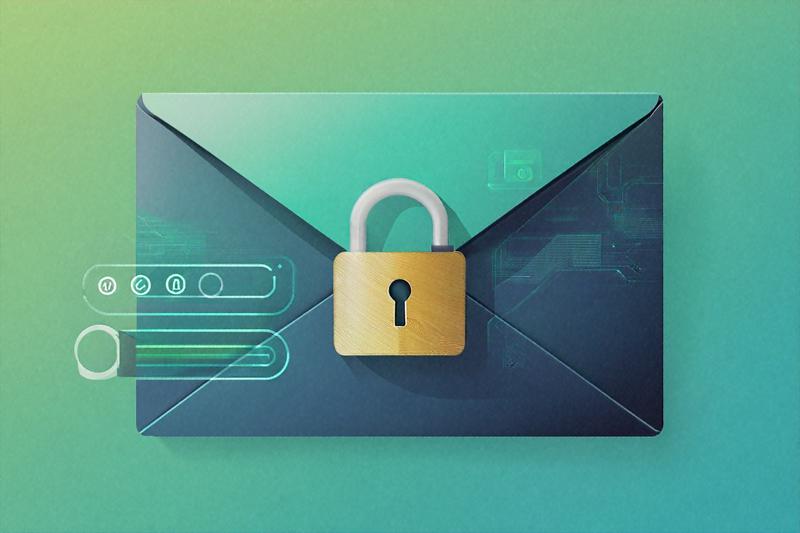
Right, so here's something that's been bugging me for a while. Every time I bring up email privacy around friends or colleagues, I get the same shrug. "I've got nothing to hide." Fair enough. But that misses the point entirely. You don't leave your front door open just because you're not a criminal. Your email is your front door to basically everything -- bank statements, medical reports, job offers, tax filings, love letters, arguments, receipts. And most of us hand over the keys to that door to Google or Microsoft without a second thought.
This isn't a lecture about paranoia. It's a practical look at what happens to your email when you use mainstream providers, what encrypted alternatives exist, and how to switch without blowing up your digital life. If you're in India and you've been putting this off, maybe this'll nudge you.
What Gmail and Outlook Actually Do With Your Mail
Gmail stopped scanning email content for ad targeting back in 2017. Google made a big deal about it. But here's what they didn't stop doing: reading metadata. Who you email, how often, what time of day, which newsletters you open, which ones you ignore. That behavioral data feeds into your advertising profile across all Google services. Your inbox might feel private, but your patterns aren't.
Microsoft's Outlook has its own issues. A report in late 2023 showed that the new Outlook app was sending login credentials -- including IMAP passwords -- to Microsoft's servers. That's not a minor thing. The German Federal Commissioner for Data Protection openly warned against using it. Yahoo, meanwhile, got caught in 2016 building a custom tool to scan every single incoming email in real time for US intelligence agencies. Every. Single. One.
None of this is speculation or conspiracy talk. These are documented incidents. The business model of free email is straightforward: you don't pay with money, you pay with data. And in India, where we're increasingly linking our email addresses to Aadhaar-connected services, DigiLocker, EPFO, income tax portals, and UPI-linked bank accounts, the stakes of that trade are climbing fast.
So What Does "Encrypted Email" Actually Mean?
There's a lot of confusion here, so let me try to keep it simple. When Gmail says your email is encrypted, they mean encryption in transit -- your message is protected while it's traveling from your computer to Google's servers and then to the recipient's server. That's TLS encryption, and it's standard. But once your email sits on Google's server, they can read it. It's like sending a letter in a locked bag -- the bag is locked during delivery, but the post office can open it once it arrives.
End-to-end encryption (E2EE) is different. With E2EE, your email gets encrypted on your device before it ever leaves. It stays encrypted on the server. Only the recipient's device can decrypt it. The email provider never has access to the content. They couldn't read it even if a court ordered them to, because they literally don't have the key.
Think of it as writing your letter in a code that only you and the recipient understand. The post office carries the coded letter, but they can't make sense of it. That's a meaningful difference, and it's probably the single biggest reason to consider switching.
The Encrypted Alternatives Worth Looking At
I've tried most of these over the past couple of years. None of them are perfect. But they're all a massive step up from Gmail when it comes to privacy.
ProtonMail -- the one everyone's heard of
ProtonMail (now just called Proton Mail) is based in Switzerland, which matters because Swiss privacy laws are among the strongest in the world. The company can't be compelled by Indian or US authorities to hand over email content -- they don't have it. They use zero-access encryption, meaning your emails are encrypted with your key, and Proton doesn't store that key on their servers.
The free tier gives you 1 GB of storage, one email address, and 150 messages per day. Honestly, that's enough for a lot of people. The paid plan (Proton Mail Plus) runs about Rs 350/month and bumps you up to 15 GB, custom domains, email aliases, and priority support. There are apps for Android, iOS, and desktop, and the web interface feels modern enough that you won't feel like you've gone back to 2005.
One thing I appreciate is that Proton has been around since 2014. They've been through legal battles, transparency reports, and security audits. They're not a startup that might vanish next year. The main downside? When you email someone on Gmail, the message is encrypted at rest on Proton's end but not on Google's end. You can send password-protected emails to non-Proton users, but it adds friction.
Tuta (formerly Tutanota) -- the privacy maximalist's pick
Tuta is based in Germany and takes encryption a step further than Proton in one specific way: it encrypts subject lines. ProtonMail doesn't encrypt subject lines by default, which means your email subjects are visible in metadata even on Proton's servers. Tuta also encrypts your contact list and calendar.
The free plan gives you 1 GB, and the paid plan (Tuta Premium) is around Rs 250/month -- cheaper than Proton. The interface is clean but a bit more spartan. It doesn't support IMAP or POP3, which means you can't use it with third-party email clients like Thunderbird. That's a deliberate choice -- supporting those protocols would require decrypting emails on their server, which defeats the purpose. But it's a limitation you should know about.
Tuta is fully open-source. You can inspect every line of their client code on GitHub. For people who care about verifiable privacy (not just promises), that matters a lot.
Mailfence -- the middle ground
Mailfence operates out of Belgium and positions itself as a "complete secure email suite." It supports E2EE via OpenPGP, digital signatures, and even integrates calendars, contacts, and document storage. The free plan gives you 500 MB, and paid plans start at around Rs 300/month.
What sets Mailfence apart is its support for standard protocols. You can use IMAP, POP3, and SMTP, which means it works with Thunderbird, Apple Mail, and other desktop clients. If you're someone who absolutely needs a traditional email client workflow, Mailfence is probably your best bet among encrypted providers. The trade-off is that it's not zero-access encrypted like Proton -- Mailfence holds your encryption keys on their server (though they're encrypted with your passphrase).
A note on Skiff Mail
Skiff Mail had a promising start -- end-to-end encrypted email with a modern interface and generous 10 GB free storage. But in February 2024, Skiff was acquired by Notion, and the service was shut down. Users were given a migration window. I mention it because you'll still find it recommended in older articles, and I don't want anyone signing up for a dead product.
PGP: The Old Guard That Still Works
Before services like Proton existed, there was PGP -- Pretty Good Privacy. Developed in 1991 by Phil Zimmermann, PGP lets you encrypt emails regardless of which provider you use. You generate a pair of keys: a public key (which you share) and a private key (which you keep secret). Someone encrypts a message with your public key, and only your private key can decrypt it.
PGP still works, and it's arguably the most flexible encryption method because it's provider-independent. You can use it with Gmail, Outlook, or any other service. Tools like GPG4Win (Windows), GPGTools (Mac), or the Mailvelope browser extension make it more accessible than it used to be.
But I'll be honest -- PGP is clunky. Key management is a pain. If you lose your private key, your encrypted emails are gone forever. Both you and your recipient need to set it up. For journalists, activists, or people handling seriously sensitive information, PGP is worth learning. For most regular users, a service like Proton or Tuta is more practical. PGP is like driving a manual transmission -- technically superior in some ways, but most people are better off with an automatic.
Email Aliases: The Underrated Privacy Tool
Here's something that doesn't get talked about enough. Even if you switch to encrypted email, your email address itself is an identifier. Every site you sign up for, every newsletter you subscribe to, every form you fill out -- they all have your email. Data breaches happen constantly, and once your address is in a leaked database, it stays there forever.
Email aliases solve this. Instead of giving your real address everywhere, you create unique aliases that forward to your main inbox. If one alias starts getting spam, you disable it. If a service gets breached, only that one alias is compromised.
Proton Mail includes aliases on paid plans (up to 10 on Plus, more on higher tiers). SimpleLogin (now owned by Proton) lets you create unlimited aliases on its paid plan for about Rs 250/month. AnonAddy (now called addy.io) is another solid option with a free tier. Apple users get Hide My Email through iCloud+, and Firefox offers Firefox Relay for basic aliasing.
I'd suggest, at minimum, using different aliases for: shopping sites, social media, financial services, and random sign-ups. If Swiggy's database gets leaked tomorrow, they'll have an alias that points nowhere useful rather than your real email tied to your bank.
How to Actually Switch Without Losing Everything
This is where most people stall. You've been using Gmail for 10, maybe 15 years. It's connected to everything. The thought of migrating feels overwhelming. So let me walk through what a realistic transition looks like, based on what I actually did.
Week one: set up and forward
Sign up for your new encrypted email. I'd recommend Proton Mail for most people -- it's the most polished and has the widest ecosystem. Once you've got your new address, go into Gmail settings and set up automatic forwarding to your new inbox. This way, you'll catch everything that comes to your old address without having to check two inboxes.
Weeks two and three: update the important stuff
Start with your highest-priority accounts. In the Indian context, that probably means:
- Banking and financial apps (SBI, HDFC, ICICI, Zerodha, Groww, etc.)
- Government portals (DigiLocker, income tax e-filing, UMANG, EPFO)
- Insurance providers (health, life, vehicle)
- UPI-linked services (Google Pay, PhonePe -- yes, ironically)
- Your primary social media accounts
Change the email address on each one. It's tedious. No way around that. But you'll probably find you only have about 15-20 accounts that truly matter. The rest can wait or be abandoned.
Month two onward: catch the stragglers
Keep your Gmail forwarding active for at least six months. As emails trickle in from services you forgot about, update them to your new address. After six months, most of the traffic should've moved over. You can then remove forwarding, set up a vacation responder on Gmail telling people your new address, and eventually stop checking it altogether.
Don't delete your Gmail account, at least not right away. Some services use your email address as an account identifier, and deleting the email could lock you out permanently. Leave it dormant instead.
What about old emails?
Proton Mail has an import tool called the Proton Mail Bridge combined with the Import-Export tool that can pull your Gmail archive into Proton. It works, though it can be slow for large archives. Tuta doesn't have an equivalent -- you'd need to export from Gmail (via Google Takeout) and keep a local backup. Either way, I'd recommend downloading your entire Gmail archive through Google Takeout before you start the transition. You'll have a local copy no matter what happens.
The Honest Limitations
I'd be doing you a disservice if I made this sound like a silver bullet. Encrypted email has real limitations, and you should know them before you commit.
Encryption only works when both sides use it. If you send an email from Proton to someone on Gmail, the email is encrypted on Proton's end but sits in plain text on Google's servers. You can send password-protected emails to non-Proton users, but they have to click a link and enter a password to read it. Most people find that annoying and won't do it regularly.
Metadata is still partially exposed. Even with Tuta, which encrypts subject lines, things like sender, recipient, timestamp, and email size are visible. That's inherent to how email works as a protocol. It was designed in the 1970s without privacy in mind, and encryption is bolted on top.
Search is limited. Because your emails are encrypted, the server can't index them the way Gmail does. Proton Mail has improved its search significantly -- it now decrypts and indexes locally -- but it's still not as fast or thorough as Gmail's search. If you rely heavily on searching old emails, this'll be an adjustment.
Some Indian services might not play well with non-Gmail addresses. I've occasionally run into OTP delivery issues with lesser-known email providers. It's rare with Proton, but worth testing before you fully commit. Sign up for a free account first and try receiving OTPs from your most-used services.
Is This Overkill for the Average Indian User?
Maybe. If your threat model is "I don't want corporations profiling me based on my personal communications," then switching to Proton or Tuta makes sense and isn't particularly hard. If you're a journalist, lawyer, activist, doctor, or business owner handling confidential information, it's close to a no-brainer.
If you genuinely don't care about email privacy and are comfortable with the trade-off, that's your call. I'm not going to pretend everyone needs military-grade encryption for their Zomato order confirmations. But I do think most people underestimate how much of their life flows through their inbox, and how much of that gets quietly catalogued by companies whose incentives don't align with yours.
The Indian government's Digital Personal Data Protection Act of 2023 gives you certain rights over your data, but enforcement is still catching up. As of early 2026, the rules around data processing by foreign email providers remain murky. You can wait for regulation to protect you, or you can protect yourself now. One of those options is in your control.
One Thing to Do This Week
Go to mail.proton.me and create a free account. Don't migrate anything yet. Just set it up, send yourself a few test emails, and see how it feels. Forward your Gmail to it for a week. That's it. You're not burning bridges -- you're just opening a second door. If it works for you, start the real migration next month. If it doesn't, you've lost nothing but twenty minutes.
Written by
Amit PatelTech Security Writer
Amit Patel is a technology journalist and security researcher who covers mobile security, app privacy, and emerging threats targeting Indian users. He previously worked with leading Indian tech publications before joining PrivacyTechIndia.
Related Posts
Encrypted DNS: How to Protect Your Browsing from ISP Snooping
Picture this: you open your laptop, visit a medical website, then a job portal, then your bank. Your ISP just logged all three. Encrypted DNS stops that — and setting it up takes about five minutes.
Open Source Privacy Tools Every Indian Should Use
You don't need to spend money to take back your privacy. Every tool on this list is free, open source, and works in India. Most of them take less than ten minutes to set up.
How to Use Tor Browser Safely in India
Tor isn't just for hackers or whistleblowers. It's a legitimate privacy tool, it's legal in India, and most people use it wrong. Here's what happened when I started using it properly, and what you should know before you try.