Priya's Tuesday at the Vegetable Market
Priya Sharma is 34 and works as a graphic designer at a small branding agency in South Delhi. She lives alone in a one-bedroom flat in Saket, takes the metro to work, and has been paying for nearly everything with her phone since 2018. When I asked her when she last carried a significant amount of cash, she had to think about it for a while. “Maybe for a wedding? Last year sometime. I took out five thousand from an ATM and I remember feeling strange holding that much paper money.” Her phone handles groceries, auto rides, electricity bills, internet recharges, restaurant meals, and the occasional impulse purchase from Amazon. She told me she had never once had a problem with UPI until that Tuesday.
The Tuesday started normally. Priya left work around 6:30 PM and stopped at the vegetable vendor she had been buying from for over a year. His stall is on a corner in Lajpat Nagar, one of those semi-permanent setups with a tin roof and crates of vegetables stacked three high. She knows his name. He knows hers. She goes there two or three times a week. The vendor has a PhonePe QR code taped to a piece of cardboard that sits next to his weighing scale. It has been sitting there as long as she has been a customer.
She picked out tomatoes, onions, some coriander, a small bag of green chillies. The total came to 340 rupees.
She opened PhonePe on her phone, tapped the scan button, pointed her camera at the QR code, typed 340 into the amount field, hit pay, entered her six-digit UPI PIN, and saw the green checkmark. Payment successful. She picked up her bag, said goodnight to the vendor, and walked to the metro station. The entire transaction took about eight seconds. She did not look at the payee name on the confirmation screen. She had never looked at it. She had been paying the same vendor at the same stall by scanning the same QR code for over a year. Why would she look?
Three hours later, around 9:30 PM, the vendor called her. He had her phone number because she was a regular and they had exchanged numbers months ago when she once forgot her phone at his stall. “Didi, aapka payment nahi aaya,” he said. Your payment did not come through. Priya opened PhonePe and checked her transaction history. The payment was right there. 340 rupees, successful, sent to a UPI ID she did not recognise. The name attached to the UPI ID was not the vendor. It was a name she had never seen before.
“I stared at it for a while. I was confused more than anything. I scanned the same QR code I always scan. I was standing in the same spot. The cardboard was in the same place. I did not type in a UPI ID manually. I scanned a code. How could the money go to the wrong person?”
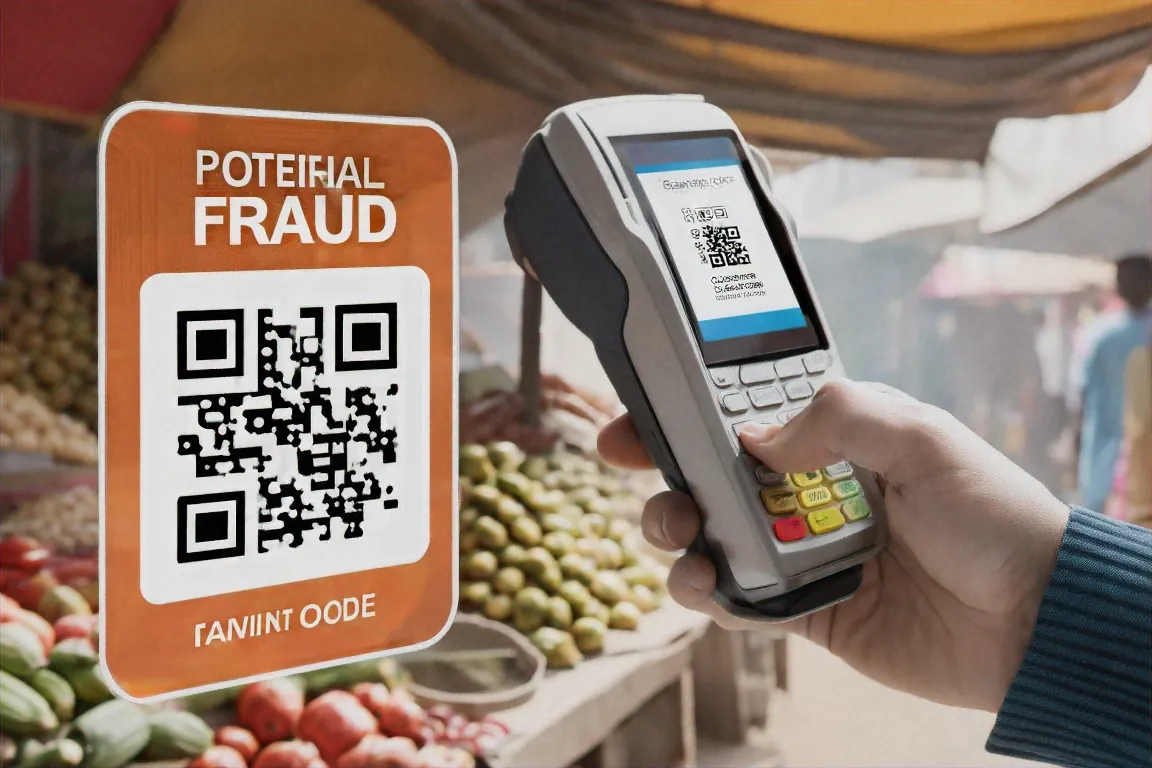
What Priya did not know, and what the vendor did not know either, was that someone had peeled off the original QR code sticker and placed a new one on top of it. The new sticker was the same size and the same shape. QR codes are just black and white squares. There is no way to tell from looking at one whether it is legitimate or fraudulent. You would have had to pick up the cardboard and look at it from the side to see the edge of a second sticker layered over the first. Nobody does that.
The vendor told Priya he had no idea how long the fake QR code had been there. His best guess was about two days, because that was the last time he personally checked his PhonePe account balance and noticed the incoming payments looked normal. In those two days, every customer who paid by scanning that QR code sent their money to a stranger. The vendor estimated that between fifteen and twenty-five customers had paid him during that period. Most of them would never know their money went to the wrong account, because most people do not check payee names and the vendor did not have phone numbers for all of his customers. Some of them would just assume they paid successfully and never think about it again. The scammer was counting on exactly that.
Priya filed a complaint through the PhonePe app that same night. She also registered a complaint on cybercrime.gov.in, which is the national cybercrime reporting portal run by the Ministry of Home Affairs. The complaint asked for the transaction ID, the UPI reference number, the amount, and the date. She filled in all of it. The vendor, for his part, went to the Lajpat Nagar police station the next morning and filed an FIR. He told me later that the officer at the station seemed familiar with this kind of fraud, like he had heard similar complaints before, but did not sound optimistic about recovering the money.
When I spoke to Priya about three weeks after the incident, neither she nor the vendor had heard anything back from PhonePe or the police. The 340 rupees was not going to change her life. She said that openly. But the amount was beside the point. What bothered her was the realisation that she had been trusting a system without understanding how it could be abused. She had been making payments on autopilot for years. Scan, type, PIN, done. It had never occurred to her that the QR code itself could be the weak link.
“If this can happen at a stall where I know the vendor by name,” she said, “it can happen anywhere.”
Anatomy of a QR Code Scam
What happened to Priya is called a QR code swap, and it is the most common type of QR-related fraud in India right now. The reason it is spreading so fast is that it requires almost no effort and no technical skill to pull off. A scammer opens any UPI app, generates a QR code linked to their own account, prints it on sticker paper at any print shop for about five rupees, walks into a busy market, waits for a vendor to be distracted with a customer, and pastes the new sticker over the vendor’s real QR code. The whole thing takes three seconds. No hacking. No software. No equipment beyond a sticker and some nerve.
The new sticker looks identical to the old one because all QR codes look the same to the naked eye. They are black and white squares arranged in a pattern. A QR code pointing to a legitimate merchant account and a QR code pointing to a scammer’s account are visually indistinguishable. There is no colour difference, no warning symbol, no way to tell them apart just by looking.
The scam works because of how we have all been trained to make QR payments. When you scan a merchant QR code, your UPI app briefly displays the payee name and UPI ID on screen before you enter the payment amount and your PIN. That moment — the two seconds when the name is visible — is the only point at which you could catch a fake. But almost nobody reads it. We have done this transaction so many times, at so many shops, that the whole process runs on muscle memory. Scan the code. Type the amount. Enter the PIN. Green checkmark. Move on. The entire thing takes five to eight seconds and we do it without engaging our brains at all. Scammers understand this. They are not exploiting a flaw in the technology. They are exploiting a flaw in human behaviour. Out of a hundred people who scan a QR code, maybe two or three will pause to read the payee name. The other ninety-seven will pay and walk away.
But physical QR swaps at shops are only one version of this scam. There is a second version that targets individuals directly, and it tends to involve much larger amounts of money.
In this version, a scammer contacts someone through OLX, Facebook Marketplace, or WhatsApp, usually pretending to be a buyer for something the victim is selling. Say you have listed a second-hand sofa on OLX for 8,000 rupees. A “buyer” messages you, says they want it, and offers to pay an advance right away. They send you a QR code on WhatsApp and say, “Scan this to receive the advance payment.” You scan the code. Your UPI app opens and shows a payment screen. You think you are receiving money, so when the app asks for your UPI PIN, you enter it. The money leaves your account.
The trick here relies on a misunderstanding that an enormous number of people share: the belief that you need to scan a QR code and enter your PIN to receive money. You do not. That is not how UPI works. It has never been how UPI works. Receiving money through UPI requires absolutely no action from you. If someone sends you money, it arrives in your account automatically. You do not need to scan anything. You do not need to enter your PIN. You do not need to approve anything. The money just shows up. Anytime someone tells you to scan a QR code to get paid, what they are actually asking you to do is send money to them. There are no exceptions to this rule. None.
A woman in Hyderabad lost 63,000 rupees to exactly this scam while trying to sell old furniture. A man in Jaipur lost 28,000 rupees after listing a motorcycle on OLX. A college student in Pune lost 12,000 rupees, money she had saved from a part-time job, after someone on Instagram claimed to be buying her used textbooks. The amounts vary. The method is always the same. Someone sends you a QR code, claims you will receive money if you scan it, and you lose money instead.
There is a third variant that does not involve UPI at all. In this one, a QR code is placed on a poster, a pamphlet, a parking sign, or a sticker on an ATM, and when you scan it, instead of opening a UPI payment screen, it opens a website in your phone’s browser. The website might look like your bank’s login page. It might look like a government portal. It might look like a payment gateway asking for your card details. In some cases, the website tries to download an app in the background. In Delhi, fraudulent QR codes showed up on parking signs in busy commercial areas. Drivers scanned them, thinking they were paying for parking, and entered their card details on a fake payment page. The scam ran for weeks before anyone figured it out, because who questions a QR code on a parking sign? It looks official. It has the municipal logo on it. You are in a hurry to park and get on with your day.
Across all three variants, the core problem is the same. A QR code is a container for information, and you cannot read that information by looking at the code. It could contain a legitimate merchant’s UPI address. It could contain a scammer’s UPI address. It could contain a link to a phishing website. All QR codes look like QR codes. The only way to know what is inside one is to scan it and then read what your phone tells you before you take any further action. That reading step — that two-second pause — is the difference between a safe transaction and a lost one. And it is the step that almost everyone skips.
After the Money Was Gone
I talked to Priya about two months after the incident to see what, if anything, had changed in her life. The short answer is that she still pays for everything with her phone. She did not go back to cash. She did not stop using UPI. She told me she thought about it for a day or two after it happened, considered carrying cash for a while, and then decided that was impractical. UPI is too woven into daily life in India to abandon over 340 rupees.
What changed was one small habit.
Priya now reads the payee name on her screen every time she scans a QR code. Every single time. Even if she is at a shop she visits every week. Even if there is a queue behind her. She scans the code, waits for the payee name and UPI ID to appear, reads it, confirms it matches the shop she is standing in, and only then types the amount and enters her PIN. She told me it adds about three seconds to each payment. Three seconds. That is all it takes to catch a swap, and she had never done it before because no one ever told her to and the apps do not make a big deal out of it.
She also started running her fingertip over QR code stickers at shops, feeling for the raised edge of a sticker pasted on top of another sticker. She said she felt a bit foolish doing this the first few times, like she was being paranoid. About two weeks after her own incident, she was at a juice stall near her office and she ran her finger over the QR code on the counter and felt a bump. A second sticker, layered on top of the original. She told the stall owner. He peeled it off. Underneath was his real QR code with a completely different UPI ID. He had no idea how long the fake one had been there. He thanked her and she said he looked shaken.
The reading-the-payee-name habit is, by far, the single most effective thing any individual can do to protect themselves from QR code swaps. After you scan a code, before you enter your PIN, your UPI app shows you who you are about to send money to. If you are paying at “Rajan Vegetables” and the screen shows “Mohit Kumar” or a string of random characters, something is wrong. Stop. Do not enter your PIN. Tell the shopkeeper. They will thank you, because they have been losing money from every customer who paid without checking.
For the OLX-style scams where someone sends you a QR code claiming you will receive money, the defence is even simpler. Just know the rule: you never need to scan anything or enter your PIN to receive money via UPI. Receiving is passive. Money arrives without any action from you. If someone says you need to scan to get paid, they are trying to reverse the flow of money. Walk away. Block the number. Report the account.
There are some other habits worth picking up. Always use your UPI app’s built-in QR scanner rather than your phone’s default camera app. The reason is that a UPI app will interpret the QR code and show you the payment details in a controlled environment. Your camera app, on the other hand, might just open a URL in your browser, which could be a phishing page that looks like a payment screen but is actually stealing your information. Using the UPI app scanner keeps everything inside the payment flow where you can see what is happening.
If you are paying a new merchant for the first time and the amount is large, pay one rupee first. Just one rupee. Ask the merchant to check their app and confirm they received it. If they did, the QR code is real. If they did not, stop and figure out what is going on. This one-rupee test costs you almost nothing and tells you instantly whether the code is genuine. I have started doing this myself at unfamiliar shops and not a single merchant has ever been annoyed by it. Most of them nod like they understand exactly why you are doing it.
Set a daily transaction limit on your UPI apps. PhonePe, Google Pay, and Paytm all let you set a cap on how much money can leave your account in a single day. If your normal daily spending is between 1,000 and 3,000 rupees, set the limit there. Even if a scam gets through, the damage is contained. You cannot lose more than your daily cap in one day. It is not a perfect defence, but it limits the worst-case outcome.
If you run a shop or a stall and you accept QR code payments, this part is for you. Check your QR code at the start of every single day. Open your payment app, scan your own QR code with a second phone or ask a family member to scan it, and verify that it shows your name and your UPI ID. This takes thirty seconds and it is the only way to catch a swap before your customers catch it for you. Consider laminating your QR code so that a sticker cannot be pasted over it easily. Or place it behind a transparent acrylic stand, the kind you can get for about fifty rupees at any stationery shop, so that the QR code is protected behind plastic and any tampering would be visible.
Better still, look into dynamic QR code devices. Paytm, PhonePe, and BharatPe all offer small devices that sit on your counter and generate a new QR code for each transaction with the amount pre-filled. The code is displayed on a screen, not printed on paper, and it changes with every payment. A sticker swap is useless against a dynamic code because there is no physical sticker to swap. These devices cost a few thousand rupees and some payment companies offer them free to merchants who process a certain volume of transactions. If you are a vendor who processes even ten or fifteen transactions a day, a dynamic QR device is worth investigating.
I asked Priya about the 340 rupees. Did PhonePe ever refund it? Did the police ever follow up? She shook her head. No refund. No callback from the police. No resolution. The money is gone and she does not expect to see it again. She said she is not angry about it anymore, just conscious of something she was not conscious of before.
The vendor in Lajpat Nagar got a new QR code printed from PhonePe. This time he laminated it, bolted it to a piece of wood, and nailed it to the wall behind his counter where no one can reach it without him seeing. He told Priya he checks it every morning now.
Priya is back to paying by QR code at the same vegetable stall. The vendor got a new code printed from PhonePe directly. She checks the name on the confirmation screen every single time now, even when there is a line behind her. Some habits stick after you learn them the hard way.


Comments (0)