Right Now: First Ten Minutes
It just happened. Your phone is gone. Snatched at a traffic signal. Pickpocketed on the metro. Left on an auto seat and the driver has already turned the corner. Maybe someone grabbed it out of your hand while you were walking. Maybe you put it down at a chai stall and turned around to find it missing. The specifics do not matter right now. What matters is that the phone is not in your hands anymore and every second counts.
You need to act immediately. Not in ten minutes. Not after you calm down. Right now. Every minute that phone stays unlocked and connected to the internet is a minute someone can open your UPI apps, read your OTPs, reset your passwords, and drain your bank account.
Borrow a phone. Any phone. A friend's phone, a colleague's phone, a shopkeeper's phone, a stranger's phone. You need internet access for about five minutes. That is all.
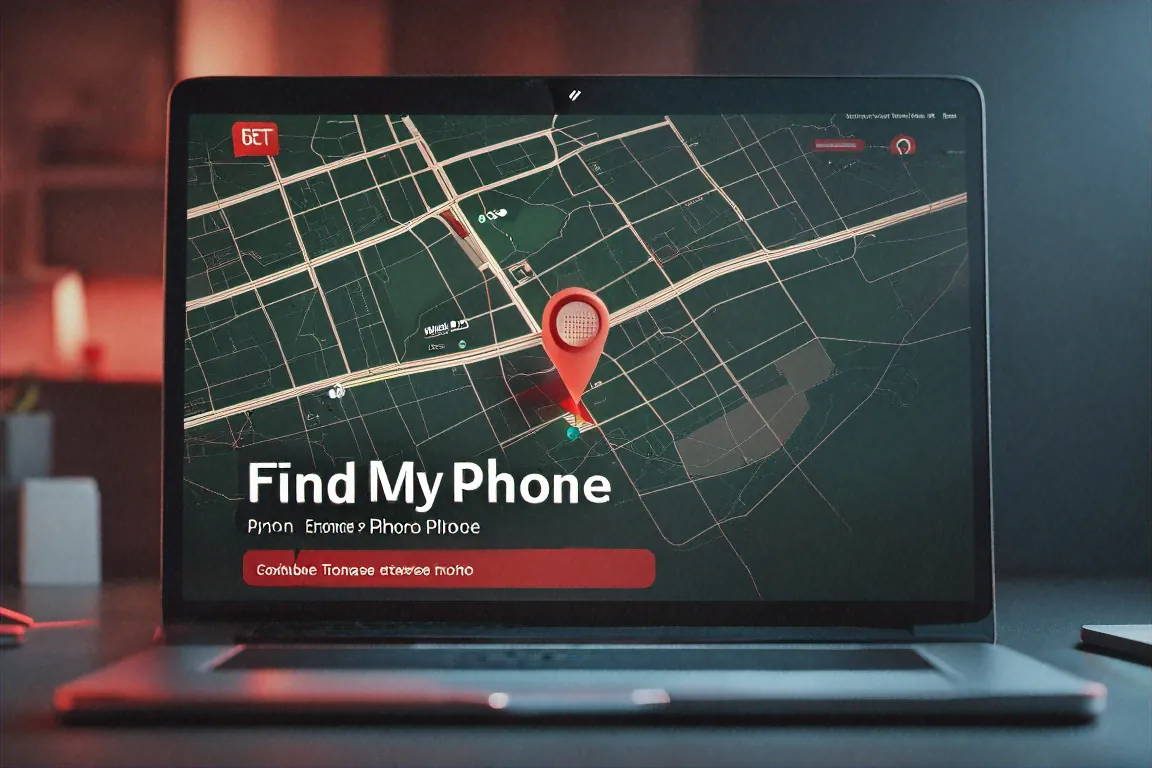
Step one: lock your phone remotely. If you have an Android phone, open a browser on the borrowed phone and go to google.com/android/find. Sign into your Google account. You will see your phone on a map (if it is still on and connected to the internet) along with options to play a sound, lock the device, or erase it. Tap "Secure Device." This locks the screen immediately with a PIN, pattern, or password, and signs you out of your Google account on that phone. If you have a Samsung phone, you can also use Samsung Find My Mobile at findmymobile.samsung.com. Samsung's version lets you lock the phone, back up data remotely, and even block access to Samsung Pay. If you have an iPhone, go to icloud.com/find, sign into your Apple ID, select the stolen phone, and enable Lost Mode. This locks the device, disables Apple Pay, and displays a message on the screen with a contact number of your choice.
A few things to know about remote locking. It only works if the phone has an internet connection. If the thief has already switched it off or pulled the SIM, the tracking will show the last known location before the phone went offline. But send the lock command anyway. The moment that phone connects to the internet again, whether it is in an hour or a week, the lock command will go through. Do not skip this step because the phone appears offline.
Step two: block your SIM card. Call your telecom carrier immediately. Use the borrowed phone to call these toll-free numbers:
- Jio: 1800-889-9999
- Airtel: 1800-103-4444
- Vi (Vodafone Idea): 1800-266-5009
- BSNL: 1800-180-1503
Tell them your phone was stolen and you need to block the SIM immediately. They will verify your identity with a few questions. Once the SIM is blocked, nobody can receive OTPs on your number, which shuts down the most common way thieves access your accounts. Without your OTPs, they cannot reset passwords, approve UPI transactions, or verify new logins on services tied to your phone number. Blocking the SIM is the single most time-sensitive step after locking the phone. Do not delay it.
Step three: call your bank. Right now. Not tomorrow morning. Not when you get home. Right now, on the borrowed phone.
- SBI: 1800-111-111
- HDFC Bank: 1800-266-4332
- ICICI Bank: 1800-200-3344
- Axis Bank: 1800-209-5577
- Kotak Mahindra: 1800-266-2666
- PNB: 1800-180-2222
Tell them your phone has been stolen. Ask them to freeze mobile banking and UPI on the stolen device. If you use Google Pay, PhonePe, or Paytm, the SIM block will prevent new UPI registrations, but if those apps were already open and authenticated on the stolen phone, someone who guesses or knows your UPI PIN could initiate transactions before you block anything. That is exactly the reason calling the bank immediately matters. Ask the bank to flag your account for suspicious activity and to temporarily disable UPI access until you set up a new device.
While you are on the phone with the bank, ask about recent transactions. If anything happened that you did not authorise, report it immediately. Under RBI guidelines, if you report an unauthorised transaction within three working days, your liability is limited. The longer you wait, the more complicated it gets. If you spot fraudulent transactions, also call the Cyber Crime Helpline at 1930. This is a government helpline specifically for cyber fraud. They can coordinate with the bank to try to freeze the fraudulently transferred funds before the scammer withdraws them.
Do not go looking for the thief. Even if Find My Device shows you an exact location on the map. Even if the phone appears to be in a building two streets away. Do not go there. Phone theft in India sometimes involves organised groups, and confronting them alone is dangerous. Note the location from Find My Device, take a screenshot if you can, and share that information with the police. Your safety matters more than any phone.
One more thing about UPI apps. If you were using Google Pay, the app is tied to both your phone number and your Google account. Locking your Google account remotely (which the Find My Device step does) will also sign you out of Google Pay. For PhonePe and Paytm, blocking the SIM cuts off their ability to verify transactions through OTP. But if the thief had physical access to the unlocked phone before you locked it, and the UPI app was open, they could have attempted transactions using just the UPI PIN. Check your bank statement as soon as possible. If there are transactions you did not make, call 1930 immediately and report them.
That is the first ten minutes sorted. Lock the phone. Kill the SIM. Freeze the bank. In that order, as fast as you possibly can.

Within 24 Hours: FIR, CEIR, Passwords
The emergency is handled. Your phone is locked remotely, the SIM is dead, and your bank knows what happened. Now deal with the rest. You have about 24 hours to complete these steps before things start getting more complicated.
File an FIR. You can do this online at cybercrime.gov.in. Click "File a Complaint," register with your email and phone number (use your new or temporary number if you have one, or a family member's number), select "Other Cyber Crime," and fill in the details. You will need to provide the phone brand, model, colour, your IMEI number, and the details of when and where the theft happened. Submit the form and save the complaint number they give you. You will need it for the next step.
You can also walk into any police station and file the FIR in person. Bring your Aadhaar card for identification. If you still have the phone's original purchase receipt, bring that too. The police will register the complaint and give you an FIR number. Some police stations may be reluctant to file a theft FIR and might try to register it as a "lost item" report instead. Insist on a theft FIR. The distinction matters because the CEIR portal, which is the next step, works better with a proper theft FIR number.
Block the IMEI through CEIR. This is the step most people in India do not know about, and it is one of the most effective things you can do. The Central Equipment Identity Register, run by the Department of Telecommunications, maintains a database of stolen phone IMEI numbers. Once your phone's IMEI is registered as stolen on this database, the phone gets blocked across every telecom network in India. No matter what SIM card someone puts into it, the phone will not connect to Jio, Airtel, Vi, BSNL, or any other Indian carrier. It becomes a brick for calls and mobile data.
Go to ceir.gov.in. Click on "Block Stolen/Lost Mobile." Fill in the form with your mobile number, the IMEI number of the stolen phone, the phone brand and model, and your FIR number. Upload a scanned copy or photo of the FIR. Submit the form. The portal will give you a Request ID. Save this number carefully. You will need it if you ever recover the phone and want to unblock the IMEI. The block takes 24 to 48 hours to go through across all networks.
Your IMEI number is a 15-digit code that uniquely identifies your phone. If you have the phone's original box, the IMEI is printed on a sticker on the side. You can also find it in your Google account: go to myaccount.google.com, click on Security, then Your Devices, and select the stolen phone. The IMEI should be listed there. On iPhones, sign into appleid.apple.com and check your device list. If you have the purchase receipt or the order confirmation email from when you bought the phone, the IMEI is usually mentioned there too. If you have not lost your phone yet and are reading this as preparation, dial *#06# on your phone right now. The IMEI will display on screen. Write it down on paper and store it somewhere safe. If you have a dual-SIM phone, you will see two IMEI numbers. Write down both.
Change your passwords. All of them. Start with your primary email account, because that is where password reset links for almost every other service get sent. If an attacker controls your email, they can reset the password on anything else. Change your email password first, then banking passwords, then social media, then messaging apps, then shopping accounts like Amazon and Flipkart. Use a different password for each service.
On every account where the option exists, go into the security settings and sign out of all active sessions. On Google: go to myaccount.google.com, click Security, then "Manage all devices," and sign out the stolen phone. On Facebook: go to Settings, then Security and Login, then "Where you're logged in," and log out of all sessions you do not recognise. Instagram, Twitter, and LinkedIn all have similar options. This forces a fresh login on any device that was previously authenticated, including the stolen phone.
For WhatsApp: once your SIM is blocked, WhatsApp on the stolen phone will stop receiving messages. When you get your replacement SIM and activate WhatsApp on a new device, it will automatically deactivate WhatsApp on the old phone. But do not wait for the replacement SIM to start worrying about WhatsApp. The SIM block handles the immediate risk. The priority right now is email and banking passwords.
A note about Telegram: unlike WhatsApp, Telegram allows multiple active sessions on different devices. If a thief has access to your unlocked phone with Telegram open, they could read your messages or forward themselves sensitive data. Go to Telegram on a computer (web.telegram.org), log in, go to Settings, then Privacy and Security, then Active Sessions, and terminate the session on the stolen phone. If you cannot access Telegram from a computer, ask a trusted friend to message you on Telegram with a warning that the phone was stolen, so anyone who opens the app on that device sees the message first.
Get a replacement SIM. Visit your carrier's store with your Aadhaar card. Ask for a replacement SIM with the same phone number. Most carriers issue this same-day. Jio, Airtel, and Vi stores in metro cities can usually have you up and running within a couple of hours. You need your number back because your bank accounts, UPI, government services, and dozens of other things are tied to it. Once you have the new SIM, verify WhatsApp, re-set-up your banking apps, and re-enable two-factor authentication on all your accounts using the new device.
Before It Happens: Set This Up Today
If your phone is sitting next to you right now, or in your pocket, or charging on the table, do these things today. Not tomorrow. Not this weekend. The ten minutes you spend on this now could save you hours of panic and thousands of rupees later.
Turn on Find My Device. On Android, it is usually enabled by default if you are signed into a Google account, but verify it. Go to Settings, then Security (or Safety & Security on some phones), then Find My Device, and make sure the toggle is on. On Samsung phones, also enable Samsung Find My Mobile in Settings, then Biometrics and Security. On iPhones, go to Settings, tap your name at the top, tap Find My, and make sure Find My iPhone is turned on. Also turn on "Send Last Location," which automatically sends the phone's location to Apple when the battery gets critically low.
Write down your IMEI number. Dial *#06# right now. Your IMEI will appear on screen. If you have a dual-SIM phone, two numbers will show. Write both down on a piece of paper. Put the paper in a drawer at home. Also save the IMEI in your password manager, or email it to yourself, or take a screenshot and store it in your cloud drive. You cannot retrieve this number after the phone is gone.
Turn on SIM card lock. This requires a PIN every time the SIM is moved to a different phone or the phone is restarted. On Android: go to Settings, then Security, then SIM Card Lock, and enable "Lock SIM Card." On iPhones: go to Settings, then Cellular, then SIM PIN, and turn it on. The default PIN is usually 1234. Change it to something else immediately. If a thief pulls your SIM and puts it in another phone, they will be asked for this PIN before the SIM activates. Without it, the SIM is useless to them.
Set your screen auto-lock to 30 seconds. Not one minute. Not five minutes. Thirty seconds. The shorter the window between when you stop using your phone and when it locks, the less time a thief has to access your apps after snatching it from your hand.
Enable app locks on banking and payment apps. Google Pay, PhonePe, Paytm, and most banking apps support an in-app lock using fingerprint, face recognition, or a separate PIN. Turn these on. Even if someone gets past your lock screen, they hit another barrier before they can access your money.
Turn on automatic cloud backups. On Android: go to Settings, then System, then Backup, and make sure Google Drive backup is enabled. Open Google Photos and enable photo backup. On iPhone: go to Settings, tap your name, tap iCloud, tap iCloud Backup, and turn it on. Also back up your WhatsApp chats separately: open WhatsApp, go to Settings, then Chats, then Chat Backup, and set it to back up daily to Google Drive or iCloud. If your phone gets stolen, you will lose the physical device. You should not also lose years of photos, contacts, and conversations.
Keep the original box and purchase receipt. The box has the IMEI printed on it. The receipt proves you own the phone. You will need both if you file an FIR.
Save emergency numbers somewhere that is not on your phone. Write them on a card in your wallet, email them to yourself, or give a copy to a family member. The numbers you need:
- Jio: 1800-889-9999
- Airtel: 1800-103-4444
- Vi: 1800-266-5009
- BSNL: 1800-180-1503
- SBI: 1800-111-111
- HDFC Bank: 1800-266-4332
- ICICI Bank: 1800-200-3344
- Cyber Crime Helpline: 1930
Full setup checklist:
- Find My Device / Find My iPhone: enabled
- Samsung Find My Mobile (Samsung phones): enabled
- IMEI number: written down and stored safely
- SIM card lock: enabled with a custom PIN
- Screen auto-lock: set to 30 seconds
- Lock screen security: 6-digit PIN, fingerprint, or face unlock
- Banking and UPI app locks: enabled
- Google Drive / iCloud backup: turned on
- Google Photos / iCloud Photos backup: turned on
- WhatsApp chat backup: set to daily
- Carrier and bank helpline numbers: saved offline
- Phone box and purchase receipt: stored at home
Do this now while your phone is still in your hand.

Comments (0)