Two Permission Philosophies: Android vs iOS
There is a quiet design disagreement between Android and iOS that most users never notice. It shapes nearly everything about how your data gets accessed by the apps sitting on your home screen, and it starts from a genuinely different idea of what a phone should ask you to decide.
Android treats permissions like a menu. Each one is a separate item. Camera access? That is one toggle. Contact list? Another. Location while using the app versus background location at all hours? Two distinct choices. Google has built a system where, on paper, you have fine control over each resource an app can touch. The design philosophy here is that informed choice is king. Present every option, let the user decide, and if the user makes a bad decision, well, they were warned. On a Pixel running Android 14, installing a food delivery app might trigger four or five separate permission dialogs within the first thirty seconds. Each one requires a tap. Each one has three options: Allow, Allow only while using the app, and Don't allow. Some permissions (like location and camera) add a fourth option on newer builds: Only this time.
Apple designed their system with a different assumption about human patience. iOS bundles permissions more tightly and shows fewer prompts. The big innovation was App Tracking Transparency, introduced with iOS 14.5, which asks a single binary question: can this app track your activity across other companies' apps and websites? Yes or no. Apple designed the prompt language to nudge users toward saying no, and roughly 75 percent of users did exactly that during the first year of the feature, according to data from analytics firm Flurry. That single prompt cost Meta an estimated $10 billion in advertising revenue in 2022 alone, because advertisers could no longer track iPhone users across apps to build ad profiles.
The interesting part is that both systems fail, just in different ways.
Android users face what researchers call “permission fatigue.” A 2023 study from the International Computer Science Institute at UC Berkeley surveyed 1,200 Android users and found that 71 percent did not revisit permissions after the initial installation of an app. The prompts come too fast. Users are eager to start using whatever they just downloaded. Tapping “Allow” becomes muscle memory. By the time you finish setting up a new phone and installing your usual 30 or 40 apps, you have tapped through well over a hundred permission prompts. Nobody reads a hundred of anything with full attention.
iOS users face a different trap: false confidence. Because Apple has marketed itself so forcefully as the privacy-friendly platform, iPhone owners often believe they are protected in ways they are not. Denying an app tracking permission through ATT does stop cross-app data sharing to some degree, but the app can still collect extensive data within its own boundaries. A shopping app that you deny tracking permission can still record every product you look at, every search you run within the app, every second you spend on each page, and use that data internally for its own ad targeting. The ATT prompt governs the flow of data between apps, not the collection of data within a single app.
On Samsung devices running One UI, the permission interface gets an additional layer of customisation. Samsung adds its own privacy dashboard on top of stock Android's, and some permissions get re-labelled in ways that can confuse users who switch between Samsung and other Android manufacturers. Xiaomi's MIUI goes even further, hiding certain permission controls behind multiple menu layers and occasionally bundling ad-related permissions into system settings that look unrelated. If you are on a Redmi or POCO device in India (and many tens of millions of people are), finding where to revoke a specific permission sometimes requires a YouTube tutorial. That is not a design accident. When an operating system makes it harder to restrict data access, the companies that benefit from broad access are the ones making the OS.
Google argues that granularity represents respect for user choice. Apple argues that simplicity represents respect for user attention. Both have a point, and neither has a complete answer. For the 95 percent of Indian smartphone users who are on Android, the practical outcome is that permissions accumulate unchecked. Once granted, they stay granted until you go hunting through Settings menus yourself. The moment of installation is the moment that matters, and most of us are not paying attention during it.
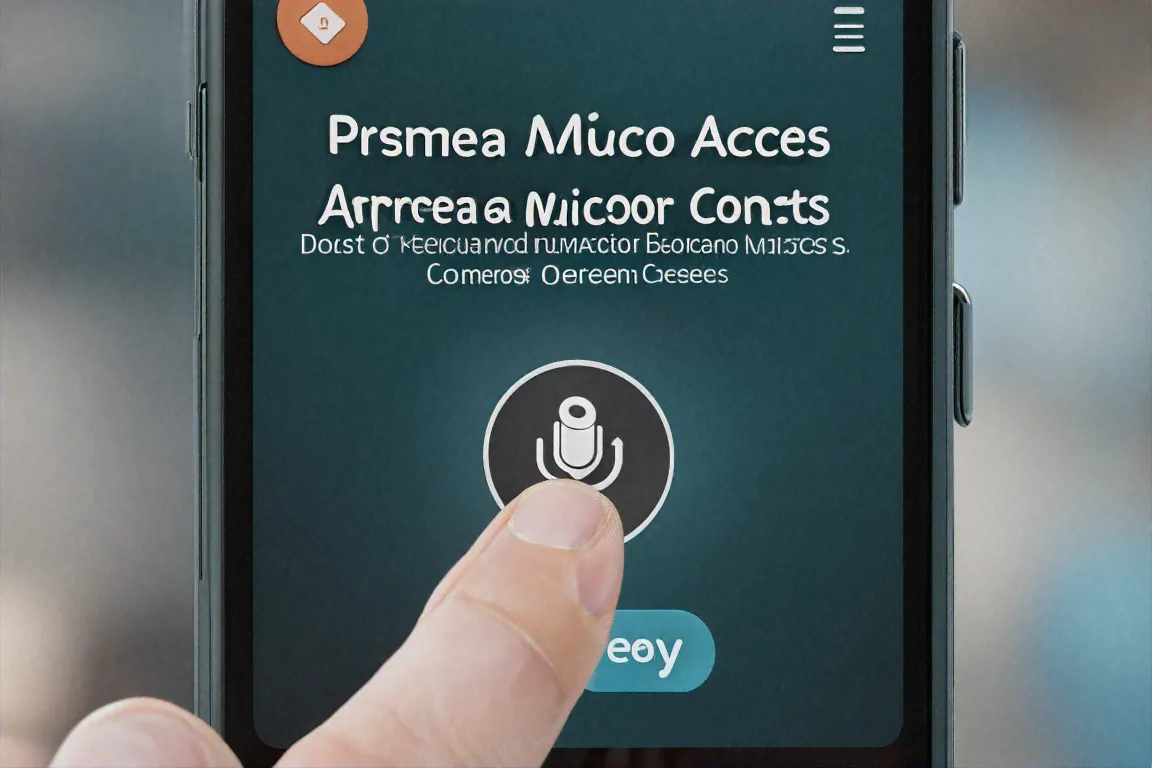
A Permission Decoder: Camera, Mic, Location, Contacts, Storage
Not every permission carries the same weight. Storage access on a photo editor is expected. Storage access on a calculator is suspicious. The risk of any single permission depends on whether the app has a justification you can state in one sentence. If you cannot explain why a torch app needs your contact list, the app cannot either — or it can, and the explanation involves selling your data.
Location: the split between foreground and background. Foreground location access, the kind labelled “while using the app,” makes sense for maps, ride-hailing, and delivery tracking. You open Ola, it sees where you are, it sends a cab. Logical. Background location is a different animal. It tracks you around the clock, even when the app is closed, even when your phone screen is off. A 2024 report by the Irish Council for Civil Liberties found that background location data from mobile apps was routinely sold through real-time bidding ad exchanges to data brokers with no direct relationship to the user. The data passed through three or four intermediaries before landing in a database where it was correlated with demographic and purchasing data from other sources.
What does that look like in practice? A weather widget on your Android phone that has background location permission knows where you sleep, where you work, what time you leave home, what route you drive, and which shops you stop at on the way back. It knows if you visit a hospital every Tuesday. It knows if you spend Friday evenings at a particular restaurant. That data has commercial value. The weather widget company may not use it directly, but the SDK embedded inside the app, a piece of code from a third-party advertising network, harvests it silently.
“We found that 47 percent of apps requesting background location access had no feature that required it. The permission was requested solely for behavioural data collection.” – App Census Project, UC Berkeley & AppFigures, 2023
On Android, you can check which apps have background location access under Settings > Location > App location permissions. Look for any app listed as “Allowed all the time.” On iOS, go to Settings > Privacy & Security > Location Services and check for any app set to “Always.” The design philosophy here is different between the two platforms: Android shows you a map of recent location access on the Privacy Dashboard, while iOS buries the information slightly deeper but gives you a small arrow icon in the status bar when an app accesses location in the background. Both are imperfect notifications of something that should probably be louder.
Contacts. When WhatsApp reads your contact list, it matches phone numbers to existing accounts so you can see who else is on the platform. That has a clear purpose. When a wallpaper app reads your contacts, it is uploading your address book to a server. That data feeds social graphs: databases that map who knows whom, who is connected to whom, who might be influenced by whom. Some Indian loan apps used uploaded contact lists to harass borrowers' family members when payments were late, sending threatening messages to every number in the phone. The RBI has repeatedly ordered crackdowns on this practice, but enforcement has been uneven, and the apps that do it often shut down and relaunch under new names.
Contact access on iOS works the same way on a technical level but has one extra guard: starting with iOS 18, Apple lets you grant access to specific contacts rather than your entire address book. So if a food delivery app needs your contacts for some reason, you can hand over two entries instead of 400. Android does not yet have this feature, though it has been requested in Android developer forums for years.
SMS and OTPs. Before Google restricted SMS permissions in 2019, any app could silently read every text message on your phone. That included one-time passwords from banks, transaction alerts, personal messages, and anything else that arrived as a text. The restriction limited full SMS access to apps that are either your default messaging app or that use a narrow API specifically designed to read a single OTP code and nothing else. The narrow API, called the SMS Retriever API, works without granting the app access to your message history.
The catch is that older apps, sideloaded APKs, and apps downloaded from third-party stores can still request full SMS access. Some Indian apps still use the old method because switching to the new API requires development effort, and the old method gives them access to more data. If an app outside the Play Store asks for SMS permission, treat that as a warning sign. Even inside the Play Store, an app requesting SMS access should be able to justify it clearly in its description.
Camera and microphone. These are the permissions people worry about most and, in a twist, the ones most often justified. Video calling, photo editing, voice recording, and document scanning all require camera or microphone access for legitimate reasons. The real question is whether the app keeps that access when it is in the background. Android 12 introduced indicator dots: a green dot appears in the top-right corner of your screen when the camera or microphone is actively in use. iOS has had similar indicators (a green dot for camera, an orange dot for microphone) since iOS 14. These are worth checking. If you see a green dot when no app should be using your camera, something is wrong.
Storage. On older Android versions (below Android 11), granting storage permission gave an app access to everything on your phone's internal storage: photos, downloads, documents, recordings, everything. Android 11 introduced “scoped storage,” which limits apps to their own designated folder unless they get a special exception called “All files access.” File manager apps and antivirus apps sometimes need this. A game does not. On iOS, storage access has always been sandboxed more tightly. Apps can only access files through the system file picker, and they only get access to the specific files you select, not your entire storage.
- Device Admin: Can lock your phone, wipe data, or change your password. Outside corporate device management, almost no app needs this.
- Accessibility Services: Originally for screen readers and disability aids, now commonly misused by apps that want to read everything on your screen. Password managers sometimes use it legitimately; most other apps do not.
- Install Unknown Apps: Lets an app install other apps without going through the Play Store. This is how malware chains spread.
- Phone / Call Logs: Can read who called you, when, and for how long. Unless the app is a caller-ID service like Truecaller, there is rarely a reason.
The pattern to watch for is not any single suspicious permission but a combination that does not match the app's stated purpose. A simple puzzle game asking for contacts, phone state, and background location is not doing that for gameplay. It is building an advertising profile. The more mismatched permissions an app requests, the more likely its revenue comes from your data rather than your engagement with the product itself.
Indian Apps and Permission Overreach
India has particular patterns around app permissions that do not show up in quite the same way in other countries. Some of these are connected to the specific apps popular in the Indian market. Some are connected to the regulatory environment, which until the Digital Personal Data Protection Act of 2023 had very little to say about mobile app data practices. And some are connected to the sheer scale of the market: over 800 million smartphone users, the vast majority on Android, the vast majority on affordable devices running older Android versions with fewer built-in protections.
The instant loan app crisis is the harshest example of what goes wrong. Between 2020 and 2023, hundreds of lending apps flooded the Google Play Store. Many were not registered with the Reserve Bank of India as NBFCs. They promised fast disbursals with minimal documentation. The trade-off was hidden in the permissions screen. To access the loan, you had to grant the app access to contacts, photos, SMS, call logs, and in some cases device admin privileges. Declining any of these would halt the loan application.
The consequences were severe.
When borrowers missed payments or repayment deadlines, some of these apps pulled photos from the borrower's phone gallery, morphed them into explicit images using basic photo editing, and sent those images to every contact in the phone along with threatening messages about the debt. Colleagues. Parents. Neighbours. The humiliation was calculated. The National Crime Records Bureau documented over 30 suicides linked to digital lending harassment in 2022 alone. Google removed more than 2,000 loan apps from the Indian Play Store over the course of 2022 and 2023, but new versions kept appearing under different developer accounts and slightly altered names.
The RBI responded with guidelines in September 2022 requiring that digital lending apps collect only data that is strictly required for credit assessment and that they not access borrowers' contact lists or photo galleries. Compliance has been mixed. The apps that were already operating illegally, without RBI registration, were not likely to follow RBI guidelines. And sideloaded apps distributed through WhatsApp links or direct APK downloads sit entirely outside the Play Store's enforcement reach.
Food delivery and e-commerce apps occupy a less extreme but still questionable space. Swiggy, Zomato, Amazon, Flipkart, Meesho, and BigBasket all request permissions that extend beyond their core function. Location while using the app is fair for delivery tracking. Background location is harder to justify. When Swiggy knows where you are at all hours, it is not doing that to improve your delivery experience. It is collecting movement data that feeds location-based advertising models.
SMS access is a common overreach in Indian apps, justified by the need to auto-read OTP codes for login and payment verification. But since Android 8, a dedicated OTP retrieval API has existed that reads a single code from a single message without exposing the rest of your SMS inbox. Apps that still request broad SMS permissions are using an older method. That older method happens to give them access to your entire message history, including bank alerts that reveal your account balances and spending patterns. The interesting part is that many of these apps have the engineering talent to switch to the modern API. They choose not to, because the old method gives them more data.
Payment apps like Google Pay, PhonePe, and Paytm sit in an unusual position. They genuinely need some sensitive permissions. SMS access for reading transaction alerts has a clear functional purpose. Location for finding nearby merchants or ATMs makes sense. But the data collection that accompanies these permissions goes well beyond what payments require. PhonePe's privacy policy discloses collection of device identifiers, installed app lists, and browsing behaviour within the app. Google Pay links your payment activity to your broader Google advertising profile unless you go into your Google account settings and manually deactivate ad personalisation. Paytm collects device information, usage patterns, and location history, feeding this into its own advertising and financial services targeting.
The permissions these apps need for core payment functionality are reasonable. The data collection that rides alongside those permissions often is not. The difficulty for users is distinguishing between the two, because the permission dialog does not tell you what the app will actually do with the access. It only tells you what the app can do.
Social media apps are the most permission-hungry category, but users tend to accept this because the features seem to justify the access. Instagram needs camera and microphone for Stories and Reels. Facebook needs contacts for friend suggestions. WhatsApp needs contacts to show you who is on the platform. The difference between a social media app and a predatory loan app is not the volume of data collected. It is the level of trust. Users willingly trade personal data for social connection on these platforms, and that trade happens with at least partial awareness. Whether the exchange is fair given what platforms do with the data on the back end is a separate question, and one that few users have the information to answer properly.
Auditing and Fixing Your Permissions
Both Android and iOS now have reasonably good tools for reviewing what you have already allowed. On Android 12 and above, the primary tool is the Permission Manager, found under Settings > Privacy > Permission Manager. It groups every permission by type: Camera, Contacts, Location, Microphone, Phone, SMS, and so on. Tap any category and you see a list of apps that have been granted that permission, along with apps that have been denied it. You can change any of these with a tap.
The Privacy Dashboard, available on Android 12 and above under Settings > Privacy > Privacy Dashboard, is the more interesting tool. It shows a 24-hour timeline of which apps accessed camera, microphone, and location. The timeline is colour-coded. If a weather widget accessed your microphone at 2 AM, the dashboard will show that. If a shopping app pinged your location 47 times in one hour, it shows that too. Samsung's One UI adds a similar feature called “Permission usage history” with slightly different visuals but the same underlying data.
On iOS, the equivalent is Settings > Privacy & Security, which offers a permission-by-permission breakdown similar to Android's. The more powerful tool is the App Privacy Report (Settings > Privacy & Security > App Privacy Report), which goes beyond showing permission access. It also lists the network domains each app has contacted over the past seven days. This can reveal patterns that permission screens alone cannot. If a calculator app is connecting to domains associated with advertising networks, analytics services, or data brokers, the App Privacy Report will show that, even though nothing in the permission system flagged it.
A useful exercise: pick any five apps you use daily. Open the Permission Manager or Privacy & Security screen and look up what each app has access to. For each permission, try to name the specific feature that requires it. Camera on Instagram: Stories. Location on Ola: ride pickup. Microphone on WhatsApp: voice notes. If you reach a permission where you cannot name the feature, that permission is worth revoking. You can revoke it, keep using the app, and see if anything stops working. In most cases, nothing will, because the permission was serving the app's data collection interests, not a feature you actually use.
Android's auto-revoke feature, labelled “Pause app activity if unused” on some phone brands, is enabled by default on Android 11 and above. If you have not opened an app in a few months, the system automatically strips its permissions and clears its temporary files. This is useful for cleaning up forgotten apps, but it does nothing for apps you use regularly. For those, manual review is the only option.
A quarterly review takes about fifteen minutes. Set a calendar reminder. Go through Permission Manager. Sort by the most sensitive categories first: Location, Camera, Microphone, Contacts, SMS. Revoke anything that does not have a clear justification. You can always re-grant a permission later if something breaks.
Beyond the phone settings themselves, there are a few habits that reduce exposure over time. Uninstall apps you no longer use instead of just ignoring them. A dormant app with active permissions is still a data pipeline. Before installing a new app, check its permission list on the Play Store or App Store page. Both platforms now show what data the app collects before you download it. Apple calls this the “App Privacy” nutrition label, and Google calls it the “Data Safety” section. Read those labels. They are not perfect, since they rely on the developer's self-reported declarations, but they give you a rough sense of what you are agreeing to before the permission prompts start.
For Indian users specifically, pay attention to apps that ask for SMS, contacts, and phone call access simultaneously. That combination is the signature of apps designed to collect data for harassment, social graph mapping, or financial profiling. Payment apps may legitimately need SMS. Almost nothing else does.
But the deeper question behind all of this is not technical. It is about what kind of bargain we accept with every app we install. Google's permission model assumes informed users making rational choices. Apple's model assumes users want protection from having to make those choices at all. Neither assumption is entirely wrong. The average Indian smartphone has over 40 apps installed, each with its own permission profile, its own data practices, and its own privacy policy that nobody reads. The total exposure across all of those apps is something no single settings screen can fully capture. You can reduce it. You cannot eliminate it.
Maybe clearer language would help. Maybe if permissions said “This app wants to record audio in the background even when you are not using it” instead of “Microphone access,” people would make different choices. But that kind of transparency goes against the interest of every company that profits from broad access. So we are stuck auditing permissions manually, one app at a time.


Comments (0)